
Disclosure: Some links in this article are affiliate or sponsored links. If you buy through them, we may earn a commission at no extra cost to you. Our opinions are our own.
That is where proxies come in. A good TikTok proxy lets you separate each account onto its own clean IP, appear as a genuine local user in the country you are targeting, and automate tasks without tripping TikTok’s anti-bot systems. In this guide, we break down the proxy types that actually work for TikTok, the providers worth paying for, how to set things up correctly, and the mistakes that get accounts banned even when a good proxy is already in place.
Why You Need a Proxy for TikTok
TikTok is aggressive about linking accounts that share the same IP, device fingerprint, or behavioral pattern. If you manage multiple accounts for social media proxies use cases like influencer marketing, brand pages, or affiliate promotion, running them all from one home connection is a fast way to get several accounts banned at once. The platform’s trust and safety systems were built with exactly this scenario in mind, since coordinated inauthentic behavior and spam networks are a constant problem for any large social app.
Beyond the ban risk, there is a practical reason proxies matter: TikTok personalizes almost everything based on location. The For You feed, trending sounds, and creator monetization tools differ by country, and a brand running campaigns in five markets needs to see what a real user in each of those markets sees, which is not possible from a single office IP address.
Proxies solve three separate problems on TikTok:
- Multi-account management. Each account gets a dedicated or rotating IP so TikTok sees them as unrelated users rather than a single operator running a network of profiles.
- Geo-unblocking. TikTok’s content library and creator tools vary by region, and some countries still restrict access outright, which means local research and campaign testing require a local-looking connection.
- Automation and scraping. Marketers and researchers pulling hashtag trends, sound data, or competitor activity need proxies to avoid rate limits and CAPTCHAs that would otherwise stall a script within minutes.
TikTok’s own community guidelines make clear that using multiple accounts to intentionally bypass enforcement is against the rules, so proxies should be used for legitimate account separation and research, not to dodge bans on accounts that were removed for cause. Used correctly, a proxy is closer to a business tool than a workaround, similar to how any large marketing team already manages separate logins, devices, and access levels for different regions and clients.
The Current State of TikTok Access Worldwide
Before picking a proxy, it helps to know where TikTok actually works, since geo-targeting only makes sense once you understand the map you are working with. India has kept its nationwide ban in place since 2020, and it remains one of the largest markets where the app is unavailable without workarounds. A handful of other countries, including Afghanistan and Somalia, maintain full bans as well, generally citing content moderation or security concerns rather than infrastructure issues.
The picture in the United States has changed since the original wave of ban threats. As of early 2026, TikTok operates in the US under a restructured joint venture involving American investors holding the majority stake, following the divestiture requirements passed into law. The app is accessible again through official channels rather than being blocked outright, and daily active usage in the country has recovered close to pre-restructuring levels. Restrictions on government-issued devices remain common across Europe and several other regions, even where the app is otherwise available to the public, which means the ban picture is really two separate layers: consumer-level access and government-device policy.
This distinction matters for anyone running proxies. A market where TikTok is blocked for the general public requires a genuinely local-looking exit IP to restore access at all, while a market that only restricts government devices has no impact on regular commercial or personal use. This history of shifting access is documented in detail in TikTok’s access restrictions history, which is worth a look if you are planning geo-targeted campaigns in markets with a history of restrictions.
Types of Proxies That Work Best for TikTok
Not every proxy type is suited to TikTok. The platform’s anti-bot systems weigh several signals at once, including IP reputation, device fingerprint consistency, and behavioral timing, so the proxy type you choose interacts directly with how convincing your overall setup looks. Here is how the main categories stack up.
Residential Proxies
These route traffic through real household IP addresses, making them nearly impossible for TikTok to distinguish from genuine users. They are the top choice for account creation, warming up new accounts, and any task where looking like a real person matters most. Because the IP genuinely belongs to a home internet connection somewhere in the target country, TikTok’s location-based personalization and content restrictions behave exactly as they would for an ordinary user in that region.
If you are new to the concept, our breakdown of how residential proxies work covers the IP sourcing in plain terms, including why these IPs tend to cost more than datacenter alternatives.
Mobile Proxies
TikTok is a mobile-first platform, and mobile proxies route traffic through real 3G, 4G, or 5G carrier IPs. Since carrier-grade NAT means thousands of real users share the same IP naturally, TikTok treats mobile IPs with a higher trust baseline than most other proxy types, since flagging one IP as suspicious risks blocking many innocent users on the same carrier at once.
For heavy account farming, a dedicated mobile proxy setup often outperforms residential IPs on pure trust score, though it usually costs more per GB and the available pool of carrier IPs is typically smaller than a residential network.
ISP and Static Residential Proxies
These combine a datacenter’s speed with an IP registered to a real internet service provider. They are static rather than rotating, which matters for TikTok specifically because logging into the same account from a shifting IP every session is itself a red flag, even when every individual IP in the rotation looks clean.
A dedicated proxy option is often the safer bet over rotating residential for long-lived accounts that need a consistent identity, particularly for brand accounts that stay logged in on a schedule rather than being spun up and discarded.
Datacenter Proxies
Datacenter proxies are the fastest and cheapest option, but they are also the easiest for TikTok to detect, since the IP ranges belong to hosting providers rather than real households or carriers. They can still work for lightweight, logged-out scraping, such as pulling public hashtag pages without an authenticated session, but they are a poor fit for account creation or anything where TikTok can see you are logged in.
Sticky Sessions Versus Full Rotation
One detail that trips up a lot of people managing TikTok accounts is the difference between sticky sessions and per-request rotation. A sticky session holds the same IP for a set window, usually anywhere from a few minutes to several hours, which mimics how a real person stays on one network throughout a session.
Full rotation swaps the IP on every request, which is fine for scraping public data but is a poor fit for logged-in account activity, since TikTok can flag rapid IP changes mid-session as bot behavior. For account management specifically, always configure sticky sessions rather than aggressive rotation, and only switch to a fresh IP between sessions rather than mid-task.
Best TikTok Proxy Providers
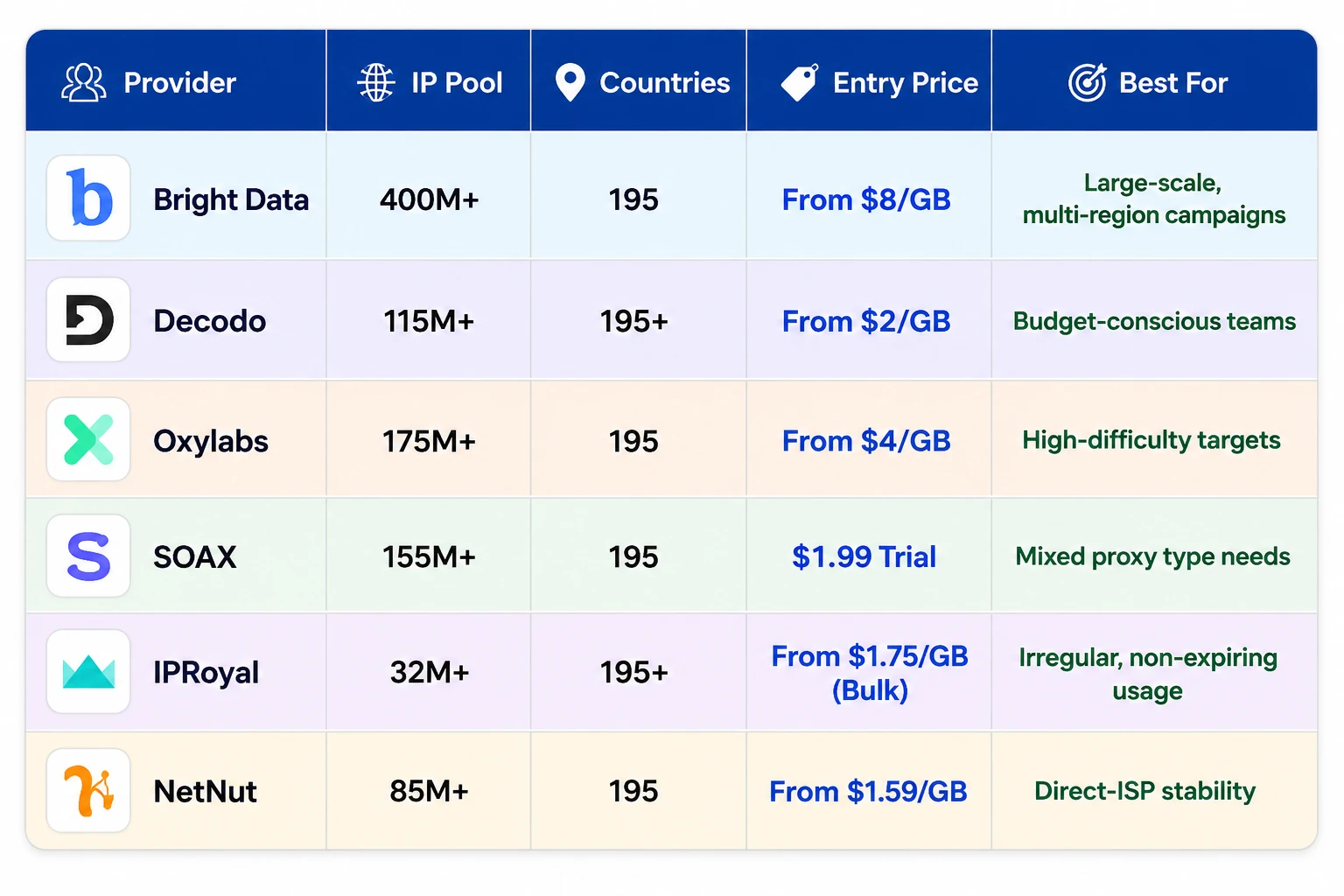
1. Bright Data
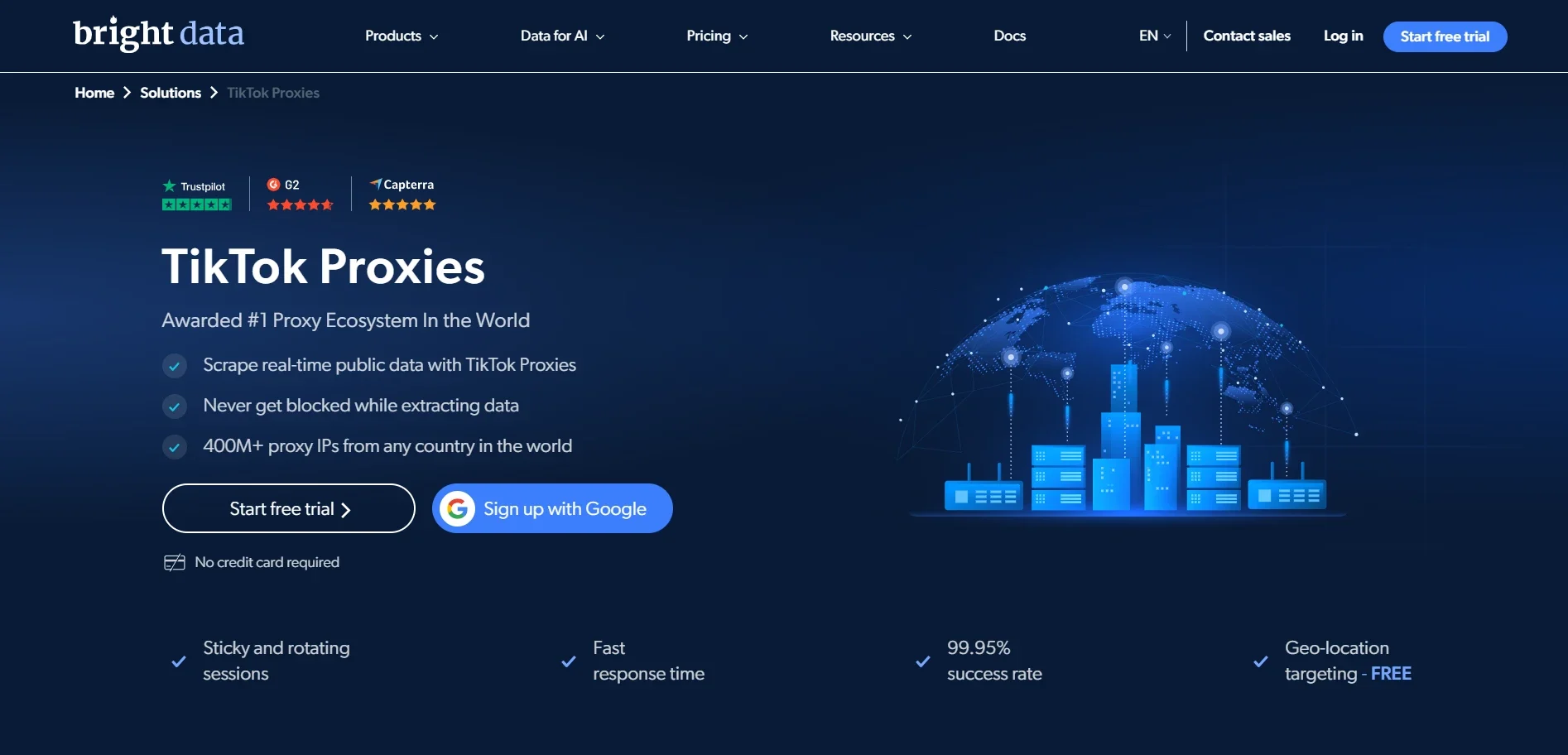
Sessions can be held anywhere from one to sixty minutes, giving fine control over how long an account stays on the same IP during a single use window. Both HTTP(S) and SOCKS5 are supported, and the platform’s Web Unlocker product can help with especially aggressive CAPTCHA challenges when paired with the core proxy network. New residential accounts do go through a short compliance review before full access is granted, which is worth planning for if you need proxies live on a tight timeline.
It is a strong pick for agencies managing large volumes of accounts across many regions, though the entry pricing is steeper than most alternatives on this list.
2. Decodo (formerly Smartproxy)
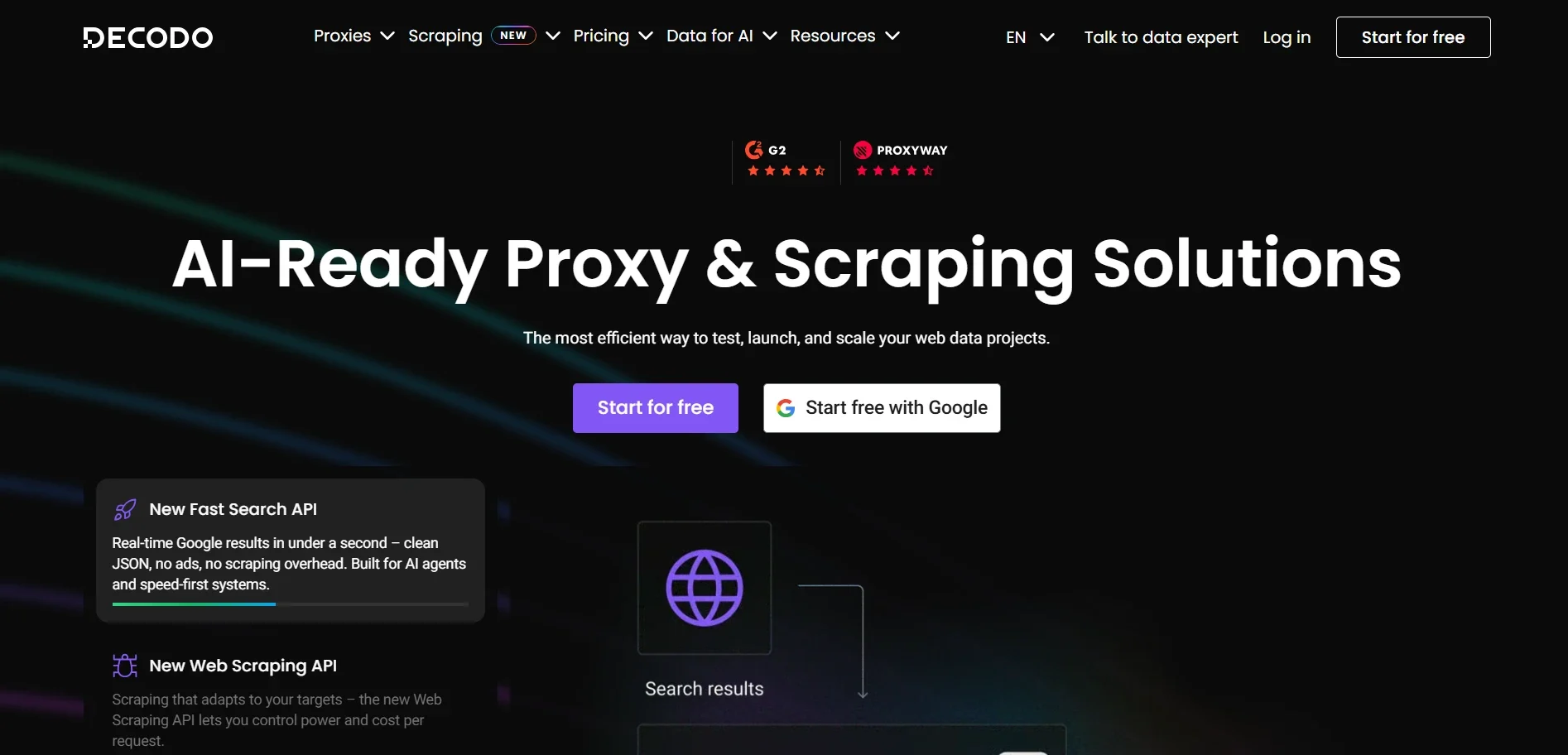
Decodo rebranded from Smartproxy in 2025 and now offers a pool of 115 million-plus residential IPs across 195-plus locations. Pricing starts from $2 per GB, making it one of the more affordable premium options, and new accounts can try the network with a 100MB, three-day free trial before committing to a paid plan. Sticky sessions can be locked in at fixed intervals, typically one, ten, or thirty minutes, which gives predictable control over how long an IP stays assigned to a single TikTok session.
Geo-targeting reaches down to the city level at no extra cost, and the network pairs well with Decodo’s own antidetect browser tooling for teams running several profiles at once. Decodo’s dashboard is straightforward, which makes it a solid choice for smaller teams who do not want to spend a lot of time on setup.
3. Oxylabs
Oxylabs offers a residential network of more than 175 million IPs covering 195 countries, with plans starting from $4 per GB. The platform is built for teams that need reliable performance at scale, and it includes country, city, state, and ZIP-level targeting alongside a web scraper API for teams pairing proxies with automated data collection. SOCKS5 is supported alongside standard HTTP(S) connections, and sticky sessions can be held for up to 24 hours when a task calls for a long-lived identity rather than a quick rotation.
Verified businesses can request a free trial to test the residential pool before committing to a paid tier, which is useful for confirming performance on a specific TikTok workflow ahead of a larger purchase. It sits at a premium price point but is well regarded for consistency on difficult targets.
4. SOAX
SOAX has grown its pool to over 155 million residential IPs across 195 countries, with a unified subscription that covers residential, mobile, ISP, and datacenter proxy types under one plan. New users can test the network with a 3-day, 400MB trial for $1.99. IP rotation can be set per request or held sticky for up to sixty minutes on residential and mobile proxies, which covers most TikTok session lengths comfortably, and the network supports HTTP(S), SOCKS5, and UDP over QUIC for teams that need the newer protocol.
A real-time dashboard tracks speed, failure rates, and banned IPs across the account, which makes it easier to spot a problematic proxy before it costs you an account. The unified data allowance is a genuine convenience if you want to mix proxy types across different TikTok tasks without juggling separate subscriptions.
5. IPRoyal
IPRoyal offers more than 32 million residential IPs across 195-plus countries, with pricing starting around $7 per GB at low volume and dropping to $1.75 per GB in bulk. What sets IPRoyal apart is that purchased traffic does not expire, so it suits teams with irregular or seasonal TikTok activity rather than a constant monthly load. Country, state, and city targeting is included in the standard per-GB rate with no separate surcharge for precision, which is a meaningful saving compared to providers that charge extra for granular geo-targeting.
Sessions can be held for up to seven days on the sticky option or rotated on every request, giving a wide range of control for anything from long-lived brand accounts to short scraping jobs. It runs on a pay-as-you-go model with no monthly minimum, which keeps costs predictable for smaller operations and makes it easy to test before scaling up spend.
6. NetNut
NetNut takes a different approach by connecting directly to more than 100 ISPs globally instead of relying purely on peer-to-peer sourcing. Its rotating residential network covers 85 million-plus IPs across 195 countries, with pricing starting from $1.59 per GB, alongside a static residential option for accounts that need a fixed identity over time.
The network supports HTTP, HTTPS, and SOCKS5, with unlimited concurrent sessions, which is helpful when running several TikTok accounts or scraping jobs in parallel without hitting a connection cap. This direct-ISP model tends to deliver more consistent uptime, which matters for long scraping sessions or continuous account monitoring.
How to Set Up a Proxy for TikTok
Getting a proxy configured correctly is straightforward once you know the order of operations. Skipping steps here is one of the more common reasons accounts still get flagged even after paying for a good proxy service.
- Pick the right proxy type first, based on whether the task is account creation, ongoing management, or logged-out scraping.
- Match the proxy location to the account’s claimed location, keeping the same city rather than switching between regions.
- Configure a sticky session before logging in, covering the full length of a typical use session.
- Pair the proxy with a separate browser profile or antidetect browser to keep cookies, cache, and fingerprint isolated per account.
- Warm the account up gradually, starting with light, human-paced activity before posting or following large numbers of accounts.
- Monitor for CAPTCHA or verification prompts, which are early warning signs that something needs adjustment.
How to Choose the Right TikTok Proxy
A few practical filters will narrow this list down fast:
- Match the proxy type to the task. Use residential or mobile IPs for account creation and warm-up, and reserve datacenter or rotating IPs for scraping public content only.
- Check geo-targeting granularity. If your campaign depends on a specific city or region, confirm the provider supports that level of targeting before you buy.
- Look at session control. Sticky session support is non-negotiable for account management, so confirm the provider lets you hold an IP for at least 10 to 30 minutes.
- Watch protocol support. Providers offering SOCKS5 alongside HTTP(S), and increasingly QUIC and HTTP3, tend to handle TikTok’s traffic patterns more smoothly, since the app itself leans on newer transport protocols for video delivery.
- Consider the billing model. Pay-as-you-go with non-expiring traffic suits bursty or seasonal campaigns, while committed monthly volume plans usually work out cheaper for a constant, predictable workload.
Proxies Versus VPNs for TikTok
It is worth clearing up a common point of confusion. A VPN encrypts your entire connection through a single server, which is fine for casual browsing or unblocking content on a personal device, but it is a poor fit for managing multiple TikTok accounts, since every device on the same VPN server shares the same exit IP.
Proxies, by contrast, can assign a distinct IP per account or per browser profile, which is what actually solves the multi-account problem. For simple personal access to a geo-restricted version of the app, a VPN can be enough, but for anything involving multiple accounts or business-scale operations, a proper proxy setup is the more reliable choice.
Tips for Using TikTok Proxies Safely
Buying a proxy is only half the job. Pairing it correctly with your workflow matters just as much:
- Pair each account with its own dedicated IP and never reuse the same proxy across multiple TikTok profiles.
- Warm up new accounts gradually. Sudden bursts of activity from a brand-new IP and a brand-new account together are one of the fastest routes to a ban.
- Combine proxies with an antidetect browser or separate browser profiles so device fingerprints do not link accounts even if the IPs are different.
- Keep posting and engagement schedules realistic. Accounts that post or follow at machine-like intervals get flagged regardless of how clean the IP looks.
- If you are scraping rather than managing logged-in accounts, keep request rates reasonable to avoid CAPTCHAs, and review our guide on avoiding IP blocks in web scraping for broader best practices that apply beyond TikTok specifically.
- For teams running both scraping and account management, it is worth reading up on bypassing blocking mechanisms, since TikTok’s challenge screens have gotten more aggressive over the past year.
- The same session and header discipline used in scraping public data from other tough platforms applies just as well when pulling TikTok trend or hashtag data at scale.
Frequently Asked Questions
Do I need a proxy to run multiple TikTok accounts?
Yes, in practice. TikTok links accounts that share an IP address, especially when they show similar activity patterns, so separate proxies for each account significantly cut ban risk.
Are mobile proxies better than residential for TikTok?
Mobile proxies generally carry a higher trust score since carrier IPs are shared by many real users, but they cost more. Residential proxies are a reliable, more affordable middle ground for most use cases.
Can proxies unblock TikTok in countries where it is banned?
A proxy can route traffic through a country where TikTok is available, thereby restoring access. Keep in mind local laws around VPN and proxy use vary, so it is worth checking the rules in your specific country.
How many proxies do I need for account management?
As a baseline, one dedicated or sticky-session IP per account. For scraping tasks, a larger rotating pool works better since you are not tied to a single login session.
Will a proxy alone guarantee my TikTok account stays safe?
No. A proxy addresses the IP side of detection, but TikTok also looks at device fingerprint, behavior pattern, and content history. A clean proxy paired with sloppy account behavior, such as posting too fast or following too many accounts at once, can still get flagged.
Is it legal to use a proxy with TikTok?
In most countries, using a proxy is legal, though it may conflict with TikTok’s terms of service depending on how it is used. Always check local regulations, since some countries restrict proxy or VPN use more broadly regardless of the platform involved.
Also, Read
Final Thoughts
TikTok’s detection systems have only gotten sharper, and the providers on this list all remain reliable options. If budget is the main concern, Decodo and NetNut offer the lowest entry pricing without cutting corners on network size. If you are running large multi-region campaigns, Bright Data and Oxylabs justify their higher cost with deeper geo-targeting and scale, while SOAX and IPRoyal give smaller teams flexible, pay-as-you-go paths to get started without a large upfront commitment.
Whichever you pick, match the proxy type to the task, treat sticky sessions as a requirement rather than an afterthought for anything involving logged-in accounts, and remember that the proxy is only one part of a safe setup alongside realistic account behavior and consistent device fingerprints.
