
Pulling data off a website used to mean writing a script, renting a server, or paying someone else to do it for you. Now it often just means clicking a button. Web scraping browser extensions have turned data collection into something almost anyone can do from inside Chrome, no coding background required.
That shift shows up in the numbers. Instant Data Scraper alone has crossed a million users on the Chrome Web Store, and the wider web scraping market is now valued in the billions and still climbing. Marketers pull competitor pricing. Recruiters build candidate lists. Researchers gather public records. Small business owners track product listings. All of it happens inside a browser tab, without a single line of code.
The problem is choice. There are dozens of scraping extensions in the Chrome Web Store, and they are not interchangeable. Some are built for a single click and a quick CSV. Others handle multi-page sitemaps, scheduled runs, or AI-driven field detection. A few are backed by proxy infrastructure built for scraping at genuine scale, not just a one-off page pull.
This guide breaks down the 10 best web scraping extensions for Chrome, based on verified details pulled directly from each provider’s own site and Chrome Web Store listing. No sponsored ranking, no single “best overall” pick pushed to the top for a commission. Just a neutral, side-by-side look at what each tool actually does, who it fits, and where it falls short.
What Is a Web Scraping Browser Extension?
A web scraping browser extension is a small add-on that runs inside Chrome (or another Chromium-based browser) and pulls structured data straight off the page you’re viewing. You install it, open a target page, click the extension icon, and it identifies tables, lists, or repeating elements and turns them into a spreadsheet.
This differs from full scraping frameworks in one key way: everything happens inside your own browser session, using your own IP address. That makes extensions fast to set up for small, one-off jobs. It also means they inherit your browser’s limitations. If a site blocks your IP after a burst of requests, the extension gets blocked right along with you.
According to Wikipedia’s overview of the practice, web scraping is a form of data extraction that gathers content from websites, typically for storage in a local database or spreadsheet for later analysis. Browser extensions are simply the friendliest on-ramp into that process: no server setup, no proxy configuration, no need to touch a terminal.
How to Choose a Web Scraping Extension
Before ranking the tools, it helps to know what actually separates a good extension from a frustrating one. Weigh each option against these factors:
- Ease of use. Does it auto-detect data with one click, or does it require you to build a manual selector map?
- AI assistance. Can it pick the right fields on its own, or do you have to map every column by hand?
- Pagination and scroll handling. Will it follow “next page” links and infinite scroll without extra setup?
- Export formats. CSV and Excel cover most needs, but Google Sheets, JSON, Notion, or a direct API matter for specific workflows.
- Cloud and scheduling. Can a job run on a schedule without your laptop staying open, or is everything limited to your live browser session?
- Underlying infrastructure. For anything beyond casual use, does the tool run on your bare IP, or does it sit on top of a proxy network built to avoid blocks? This is also where reading up on how avoiding IP blocks during web scraping actually works pays off, since even the best extension eventually runs into rate limits.
- Price versus volume. Match the free tier and paid limits to how much data you actually plan to pull each month.
If you’re new to the practice altogether, spending a weekend on a few sites built for practicing web scraping skills is a low-risk way to learn what each extension is actually doing before you point it at a live commercial site.
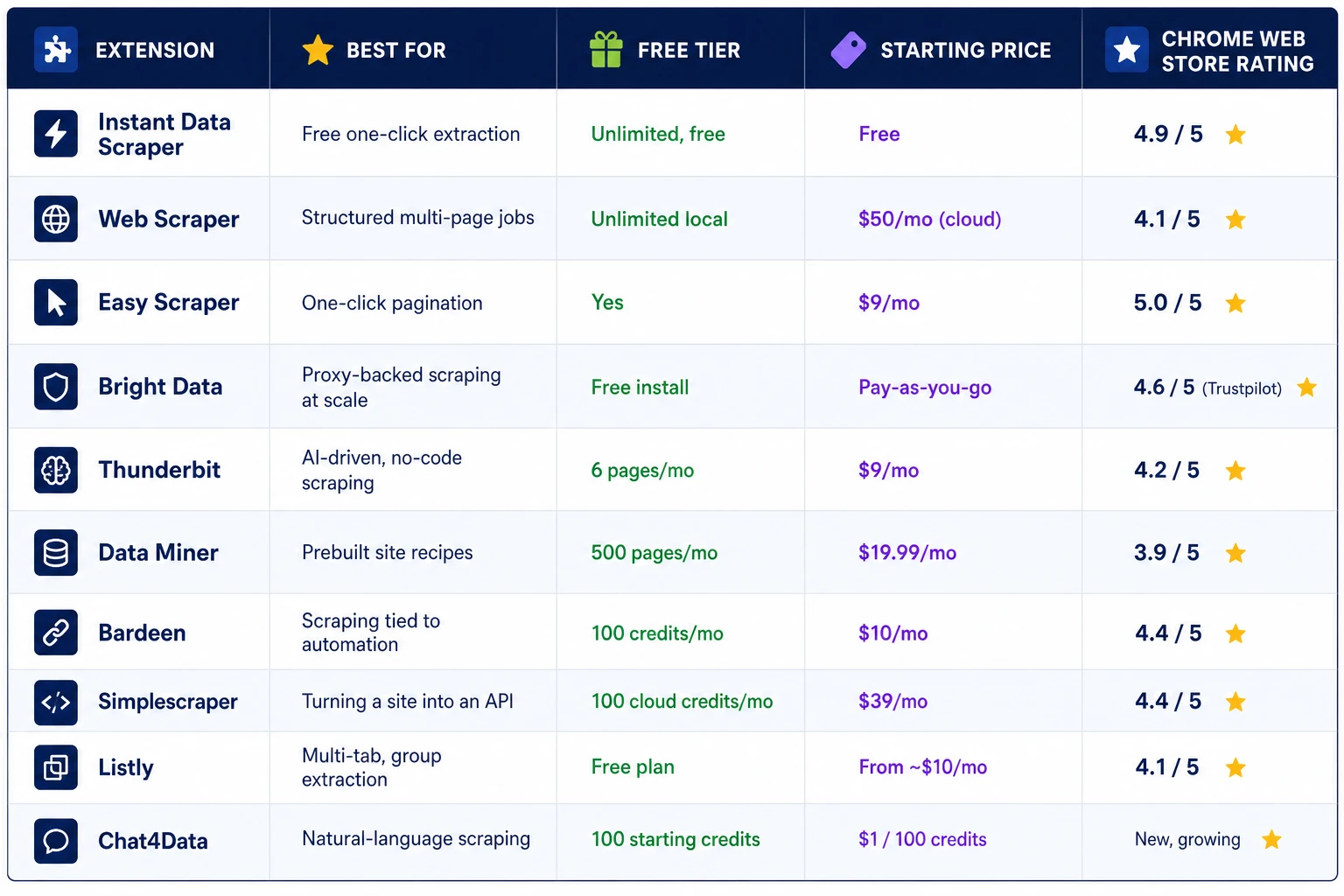
Web Scraping Extensions Compared at a Glance
The 10 Best Web Scraping Browser Extensions for Chrome
1. Instant Data Scraper
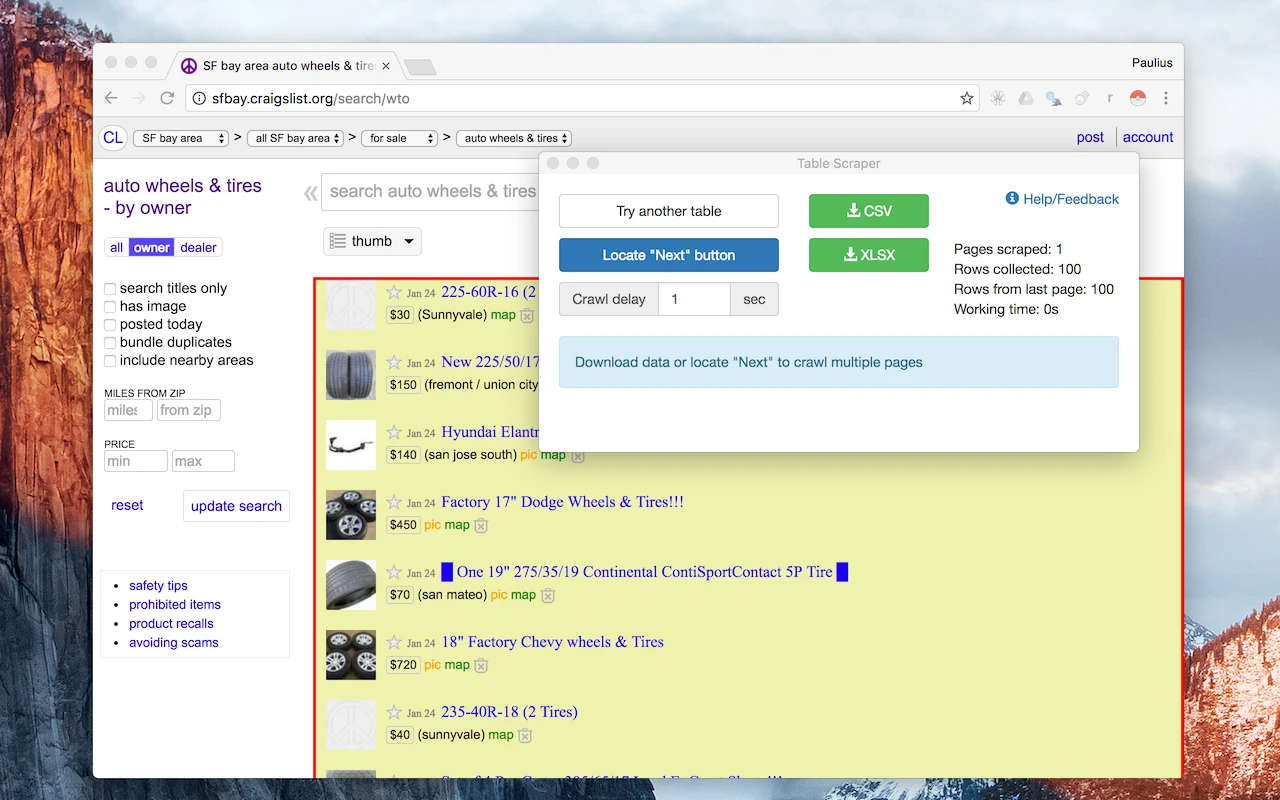
Instant Data Scraper is the extension people reach for when they need a table off a page right now, with zero setup. It uses automatic detection to find lists and tables on the current page and highlights them the moment you click the icon. There’s no account to create and no configuration screen to click through.
Pagination is handled automatically too. The extension can click “next” or scroll to load more rows on its own, then hand you a clean export in Excel or CSV format. It’s the rare tool in this space that is genuinely, permanently free, with no usage cap hiding behind a paywall.
Best for: fast, free, one-off extraction from tables, lists, or product grids.
Where it struggles: heavily customized page layouts and anything that needs scheduling or a cloud run, since it only works while your browser is open.
Pricing: completely free.
2. Web Scraper
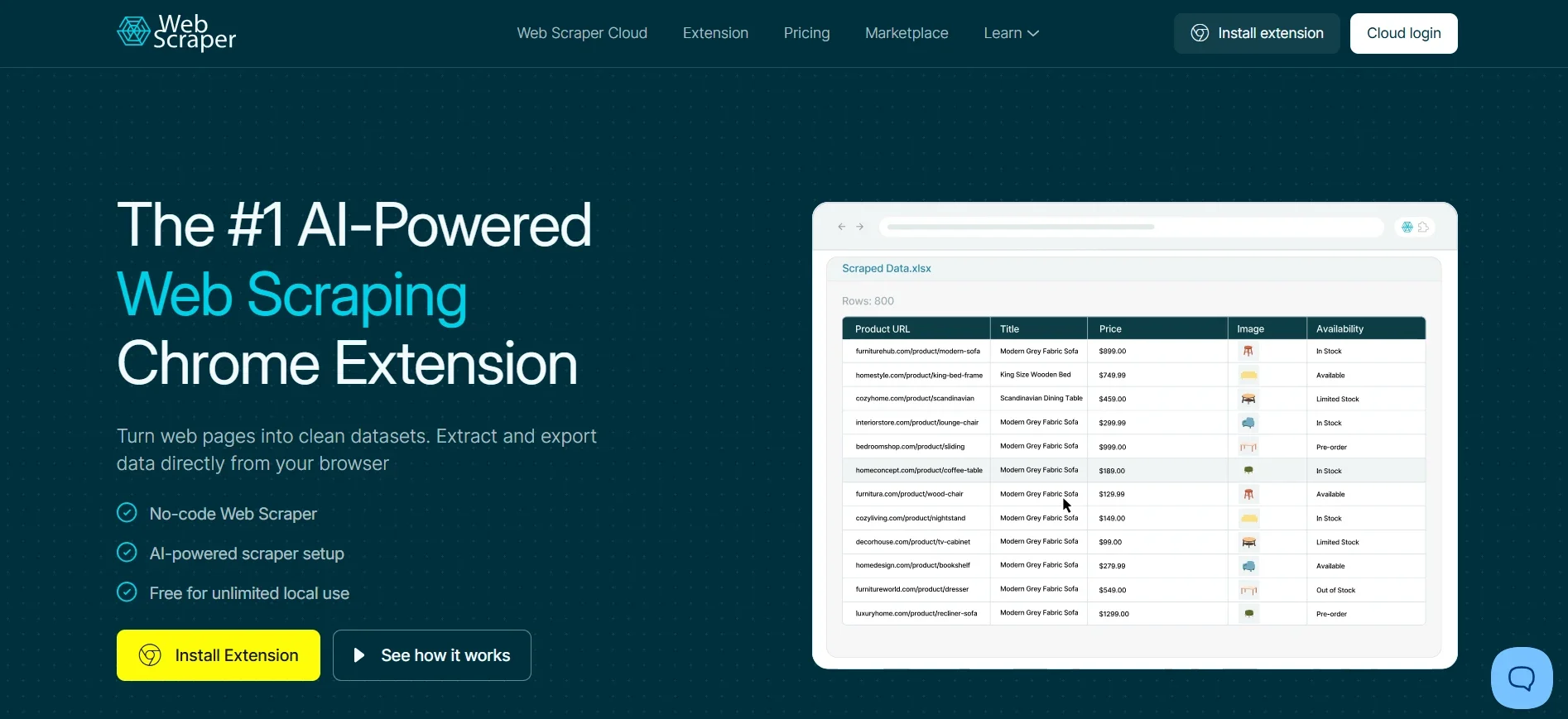
Web Scraper is built for people who want real control over how data gets pulled, not just what gets pulled. Instead of relying on automatic detection, you build a “sitemap,” a visual map of selectors that tells the extension exactly how to move through a site: which links to follow, which fields to capture on each page, and how to handle pagination along the way.
That sitemap model makes it capable of navigating category pages into detail pages, several levels deep, which is something one-click tools simply can’t do. The core extension runs entirely locally and is free with no page limits. A separate paid cloud plan adds scheduled runs that don’t require your browser to stay open.
Best for: structured, multi-page scraping projects where the site has a predictable navigation pattern.
Where it struggles: the learning curve. Building your first sitemap takes longer than a one-click tool, and dynamic, JavaScript-heavy pages sometimes need extra selector tweaking.
Pricing: free for local scraping; cloud plans start around $50 per month.
3. Easy Scraper
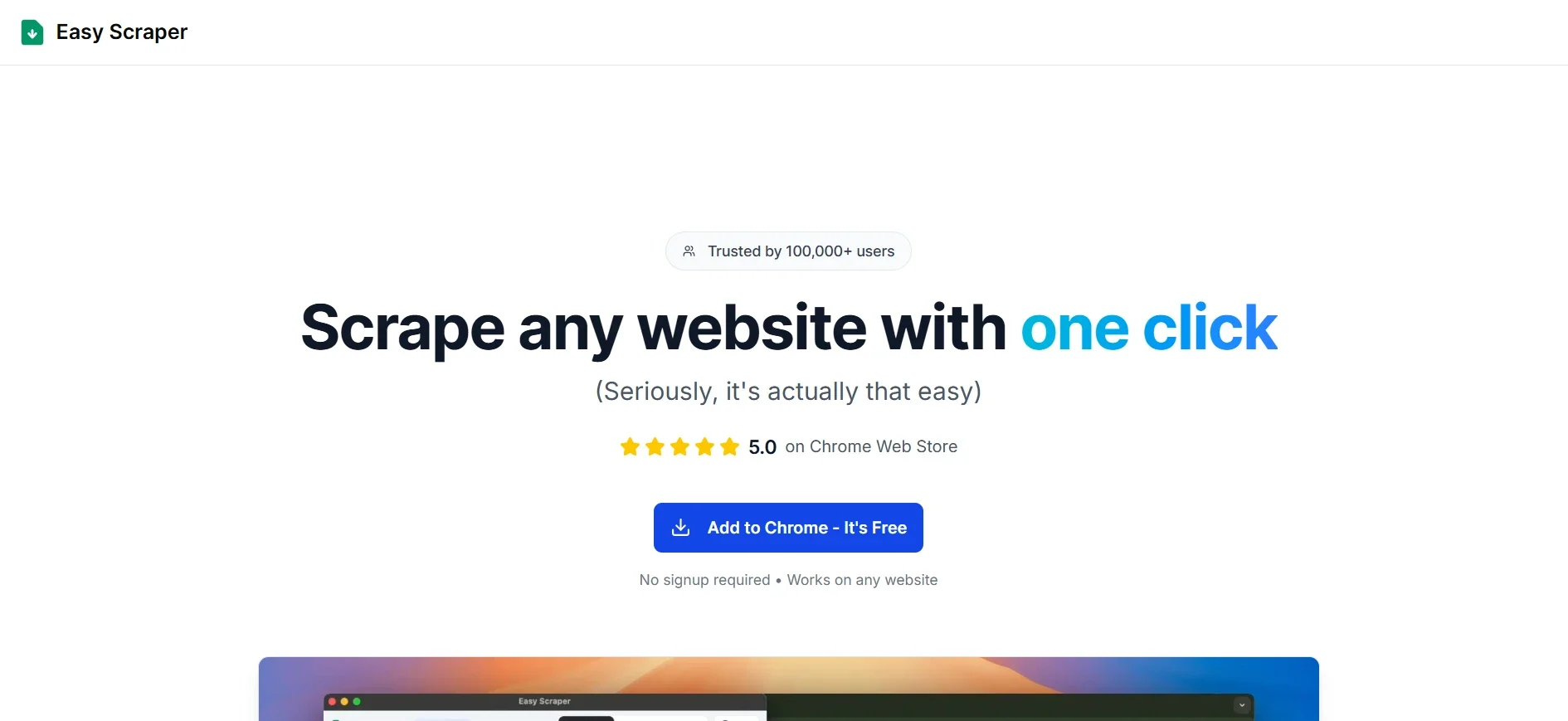
Easy Scraper leans hard into simplicity without sacrificing pagination handling, which is usually the first thing simpler tools give up. It reads the page you’re on, detects structured data automatically, and follows “load more” buttons and infinite scroll to keep collecting rows until the page runs dry.
There’s genuinely no setup screen to fight through. Install it, open a page, click scrape, and the export lands as CSV or Excel. Among Chrome Web Store users, it holds one of the highest satisfaction ratings of any scraping extension, largely because it asks so little of the person using it.
Best for: quick scrapes that still need reliable pagination, without the sitemap-building step.
Where it struggles: fewer advanced features and a smaller template ecosystem compared to more established tools.
Pricing: free tier available; paid plans start around $9 per month.
4. Bright Data
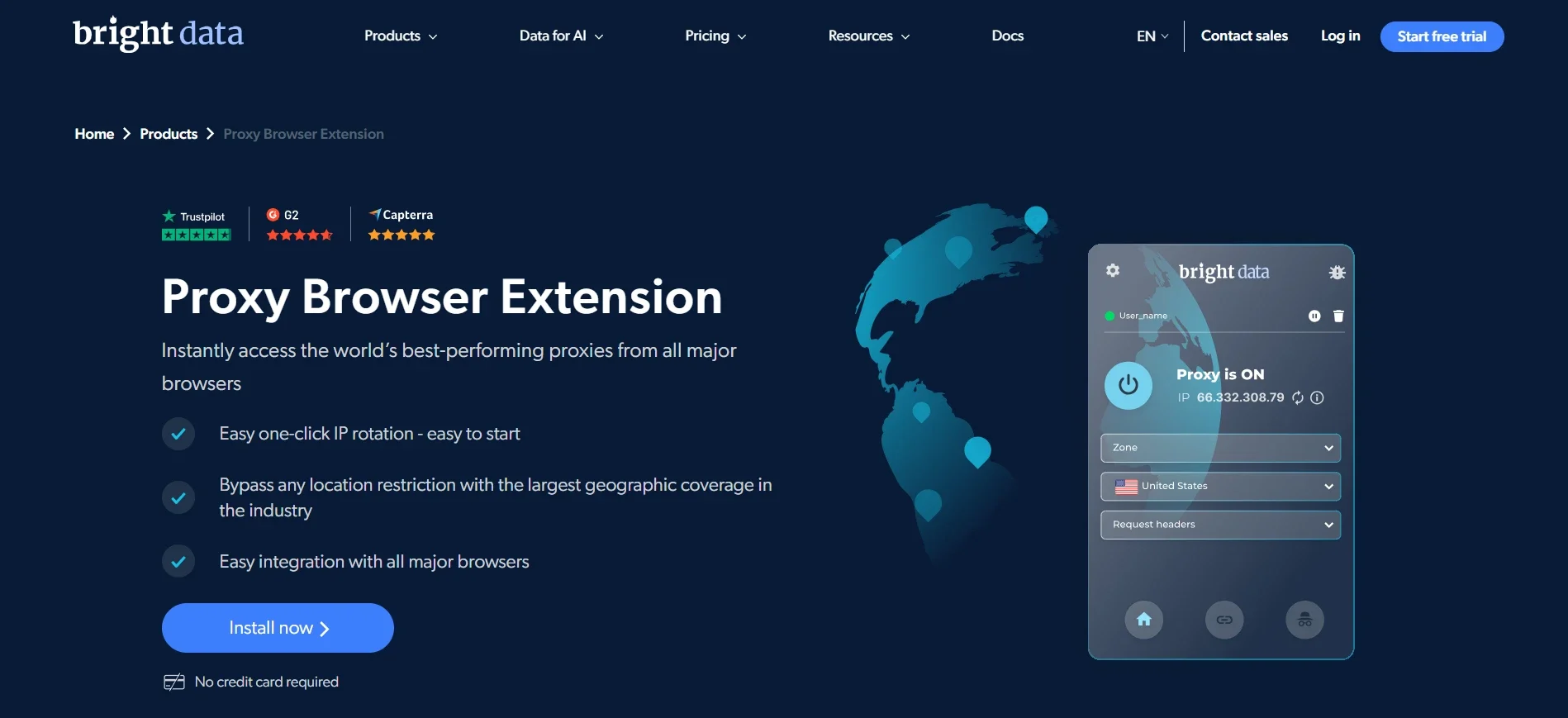
Bright Data approaches the category from a different angle entirely. Rather than being a standalone scraping tool, its browser extension gives you one-click access to residential, ISP, and datacenter IPs across 195 countries, letting you switch locations and rotate connections directly from a dropdown in your browser toolbar instead of editing proxy settings by hand.
The extension itself is built for speed. Toggle it on, pick a country or city, and the page reloads through that connection almost immediately, with no separate proxy manager and no manual configuration file to edit. Under the hood, it draws on a network the company reports at over 400 million residential IPs, which is what lets the extension offer that level of city-by-city targeting in the first place. For anyone who has already read a Bright Data review, the extension will feel familiar, since it’s the same proxy logic, just condensed into a one-click browser control instead of a full dashboard.
It installs free, with no card required, and connects to whichever Bright Data plan you’re already on. Where it earns its place on this list is less about one-click table extraction and more about giving other scraping methods, extensions included, a location-switching layer that doesn’t need to be configured by hand. Teams that also lean on datacenter proxy providers for higher-volume jobs tend to use the extension for quick manual checks and location testing, then move to the full proxy network once a job needs real volume.
Best for: anyone who needs proxy-backed scraping, geo-targeted data collection, or a way to bypass location restrictions rather than just a one-click table export.
Where it struggles: it’s not a plug-and-play scraper in the same sense as the other tools on this list. Getting the most out of it means pairing it with Bright Data’s broader proxy or scraper API products, which takes more setup than an extension you install and immediately click.
Pricing: free to install; underlying proxy usage is pay-as-you-go, based on the specific proxy type and plan.
5. Thunderbit
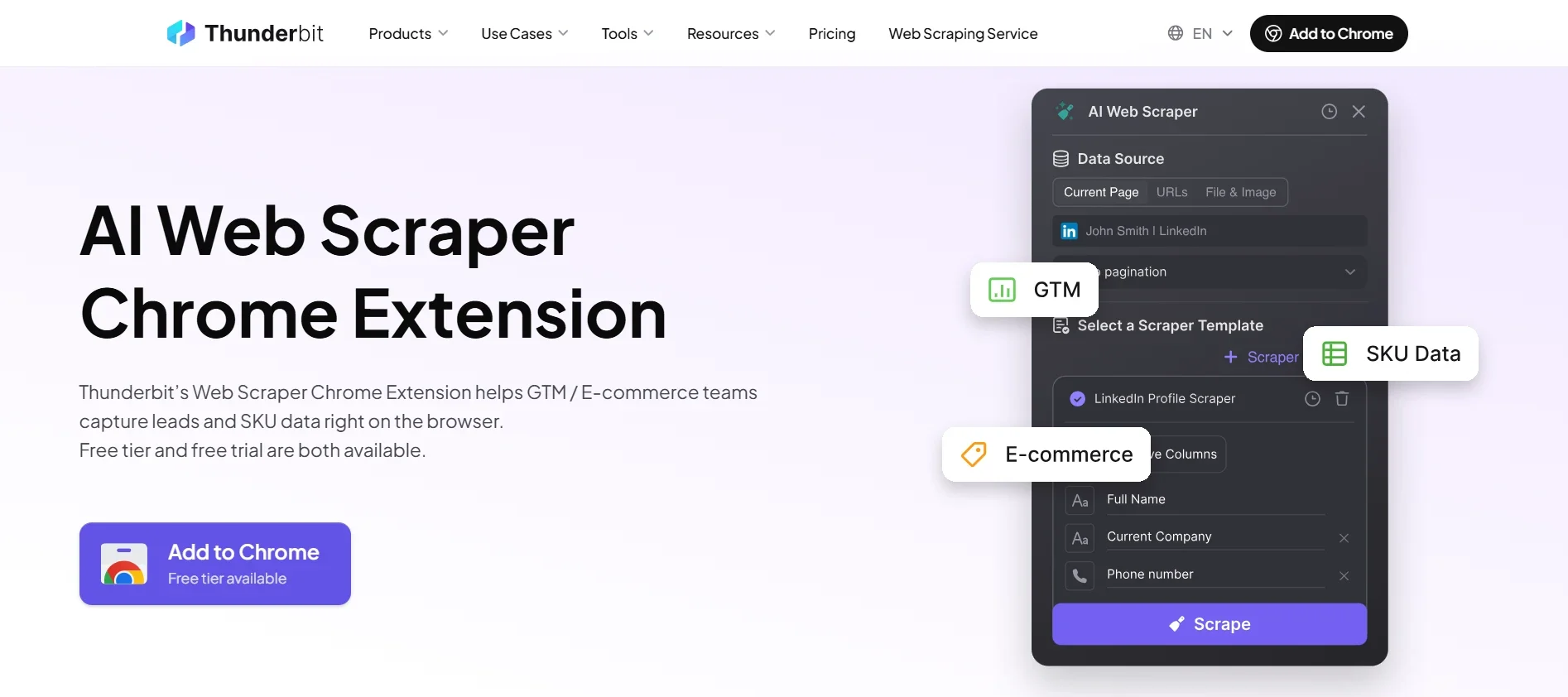
Thunderbit is built around a simple idea: let AI decide what data matters instead of asking the user to map every column. Click “AI Suggest Fields,” and it reads the page structure, proposes the columns worth capturing, and lets you adjust before running the scrape. Subpage scraping, pagination, and infinite scroll are all handled without extra configuration.
It also ships with more than twenty prebuilt templates for popular sites, so a lot of common scraping jobs need zero setup at all. Exports go straight to Excel, CSV, Google Sheets, Notion, or Airtable, and scheduled scrapes can run automatically on a set cadence. It’s built for business users first, developers second.
Best for: non-technical users who want AI to handle field selection across a wide range of sites.
Where it struggles: the free tier is limited to a handful of pages per month, so anything beyond light, occasional use requires upgrading.
Pricing: free tier at 6 pages per month; paid plans start around $9 per month.
6. Data Miner
Data Miner’s biggest asset is its library. It ships with tens of thousands of community-built “recipes,” saved extraction rules for specific, popular websites, so a large share of common scraping targets already have a ready-made template waiting. For anything not covered, a point-and-click recipe editor lets you build your own.
Exports go to Excel, CSV, or Google Sheets, and paid tiers add scheduling and automation on top of the manual scraping flow. The interface feels a little dated next to newer AI-first tools, but the sheer size of the recipe library makes up for it for a lot of use cases.
Best for: researchers and business users who want a prebuilt recipe for a specific, well-known site rather than building selectors from scratch.
Where it struggles: the free tier’s monthly page allowance runs out quickly for anyone scraping regularly.
Pricing: free tier at 500 pages per month; paid plans start around $19.99 per month.
7. Bardeen
Bardeen treats scraping as one step in a larger automation, not the end goal. It extracts data from a page, then immediately routes it into whatever comes next: a Google Sheet, a Notion database, a Slack message, or one of over a hundred other connected apps. Multi-step “playbooks” chain a scrape together with enrichment and delivery in a single run.
It operates on a credit system, where each result-producing step consumes credits from a monthly pool. That structure makes it a natural fit for sales and go-to-market teams doing prospecting or lead enrichment, where the value isn’t just the raw data but what happens to it immediately afterward.
Best for: scraping that needs to plug directly into an automated workflow rather than sit in a spreadsheet.
Where it struggles: credits disappear fast on larger jobs, and the product’s direction has leaned increasingly toward sales use cases over general-purpose scraping.
Pricing: free tier at 100 credits per month; paid plans start around $10 per month.
8. Simplescraper
Simplescraper’s pitch is turning any website into a live data endpoint. You point and click to define what you want, and instead of just downloading a file, you get a reusable API you can call from your own code or connect to a webhook. Local, in-browser scraping is unlimited and free on every plan.
Cloud runs and API access draw from a monthly credit pool, and higher tiers add proxy rotation for sites that push back against repeated requests. It’s aimed squarely at developers who want scraped data flowing directly into an app rather than sitting in a downloaded spreadsheet.
Best for: developers who want a scrape-to-API pipeline instead of a one-time export.
Where it struggles: cloud credits add up quickly on larger or more frequent jobs, and the more advanced automation features sit behind a paid plan.
Pricing: free tier at 100 cloud credits per month; paid plans start around $39 per month.
9. Listly
Listly focuses on turning entire websites into ready-to-use Excel files with minimal friction. Beyond the standard one-click extraction, it supports multi-tab scraping, so you can pull data from several open pages at once, and group extraction across a batch of URLs in a single run. Auto-scroll and auto-click features handle dynamic pages that load content as you interact with them.
The company reports more than 200,000 installs and over 80 million URL downloads globally, a sizable footprint among no-code scraping tools. A free plan covers basic exports to Excel and Google Sheets, while paid tiers unlock scheduling, proxy support, and an API currently in beta.
Best for: recruiters, real estate professionals, and e-commerce teams who need to pull from multiple tabs or URLs in one pass.
Where it struggles: the free plan’s usage quota is fairly tight, and several of the more useful features, like scheduling and proxy support, require a paid tier.
Pricing: free plan available; paid plans start around $10 per month.
10. Chat4Data
Chat4Data replaces selectors and sitemaps with plain conversation. Instead of clicking through a configuration screen, you type what you want in natural language, “grab the price and rating for every product on this page,” and the extension navigates the page, extracts the matching fields, and hands back a CSV or Excel file. Adjusting the scrape works the same way: tell it to add a field, skip a column, or re-check a section, and it updates the run accordingly.
It’s built to stay usable when a site’s layout shifts, since it reads pages by structure and intent rather than by fixed selectors that break the moment a class name changes. It also works on logged-in pages, since it operates inside your existing authenticated browser session, similar to the way proxies help with scraping Amazon without getting blocked by distributing requests rather than hammering a site from a single source.
Best for: non-technical users who would rather describe what they want than configure it manually.
Where it struggles: it’s a newer entrant than most of the tools on this list, so the recipe and template ecosystem other tools have built up over years isn’t there yet, and results can occasionally need a retry on complex pages.
Pricing: new users get 100 free starting credits; additional credits cost roughly $1 per 100, with monthly plans for regular use.
When a Browser Extension Stops Being Enough
Every tool above is genuinely useful, and for small, occasional jobs, an extension is often the right call. But they share a structural limit: they run inside your browser, using your own IP address, with no built-in way to handle CAPTCHAs or rotate through blocked requests. A few hundred page loads in an afternoon is fine. A few hundred thousand, on a site that’s actively trying to keep bots out, is a different problem entirely.
That’s usually the point where teams start looking at dedicated infrastructure instead of a browser add-on, proxy networks, scraper APIs, or managed data feeds built to handle web scraping at scale without tripping the same rate limits an extension runs into almost immediately. It’s also worth checking which browser you’re pairing with a proxy, since some Chromium-based browsers handle extension-level proxy switching more smoothly than others.
There’s no universal answer for when to make that jump. A researcher pulling a table once a month never needs to think about it. A business tracking competitor pricing across thousands of product pages every single day almost certainly does.
Frequently Asked Questions
What is the best web scraping extension for Chrome?
There isn’t a single best option for everyone. Instant Data Scraper is the strongest free, one-click pick. Web Scraper suits structured, multi-page projects. Thunderbit and Chat4Data both use AI to remove manual setup. Bright Data fits best when the job depends on proxy infrastructure rather than a simple table export.
Are web scraping browser extensions free?
Many offer a genuinely useful free tier. Instant Data Scraper is fully free with no cap. Web Scraper is free for unlimited local scraping. Most of the others cap free usage by pages or credits per month, with paid plans removing those limits.
Can a web scraping extension get my IP address blocked?
Yes. Extensions run inside your own browser using your real IP address, so a burst of requests can trigger the same rate limits and CAPTCHAs a manual visitor would eventually hit. This is exactly the gap that proxy-backed tools and dedicated scraping infrastructure are built to close.
When should I use a scraping API instead of a browser extension?
Once a job needs to run on a schedule without your browser open, needs to bypass strict anti-bot systems, or needs to pull data at a volume that would get a single IP address blocked quickly, it’s time to move past an extension and into proxy-backed infrastructure or a dedicated scraper API.
Do web scraping extensions work on JavaScript-heavy websites?
Most modern extensions handle basic dynamic content, but results vary. Sitemap-based tools like Web Scraper and AI-driven tools like Thunderbit or Chat4Data generally cope better with JavaScript-rendered pages than simpler, purely heuristic extensions.
Conclusion
The right web scraping extension depends entirely on the job in front of you, not on whichever tool tops a sponsored list. For a quick, free table pull, Instant Data Scraper is hard to beat. For structured, multi-page projects, Web Scraper’s sitemap model gives you real control. For AI-assisted setup, Thunderbit and Chat4Data both remove the manual selector work in different ways. And when the job depends on geographic targeting or genuinely high volume, that’s where proxy-backed infrastructure from providers like Bright Data starts to matter more than any single extension’s feature list.
Match the tool to your actual workload, start with the free tier, and upgrade only once you’ve hit a real limit rather than a hypothetical one.
