
If you still print documents, sign them by hand, scan them, and email them back, an eSignature platform can save you a surprising amount of time. Sign.Plus is one of the tools built to eliminate that process, offering electronic signatures, document workflows, templates, reminders, and compliance features in one place.
In this Sign.Plus review, we explore the platform’s key features, ease of use, pricing plans, limitations, and who it is best suited for. Sign.Plus is built by Swiss company Alohi, which is also the company behind Fax.Plus. For a closer look at its online fax solution, you can read our detailed Fax.Plus review here.
What Is Sign.Plus?
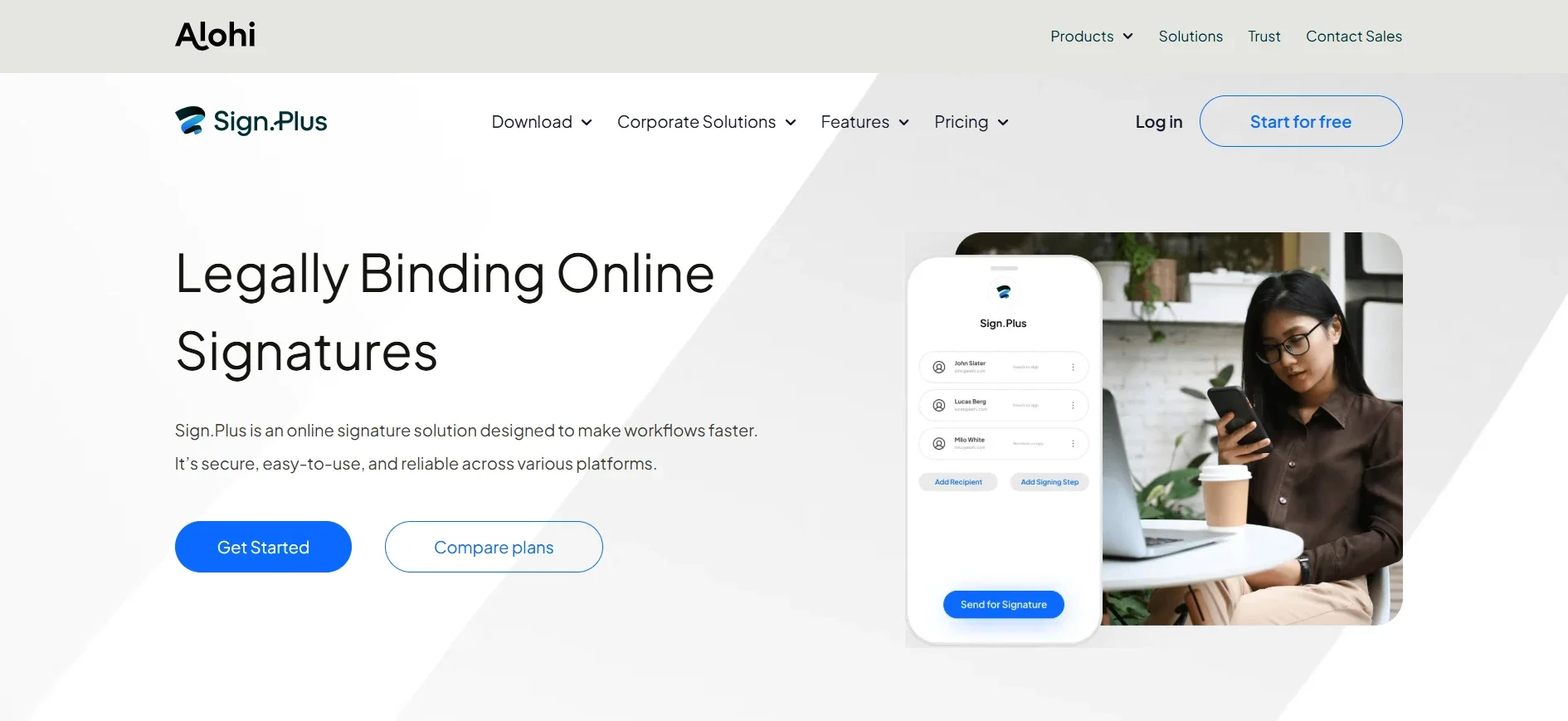
Sign.Plus is a cloud-based electronic signature platform for signing documents and collecting signatures from other people. Because it runs in a web browser, there is no desktop software to install. Android and iOS apps are also available for users who need to manage documents away from their computers.
According to the company, Sign.Plus has more than 5 million users across 190+ countries. Its Swiss base is also relevant for organizations that care about data protection, security standards, and where business documents are stored.
The platform is designed to simplify several common problems with paper-based contracts: sending documents back and forth, keeping track of who has signed, managing different document versions, and proving when and how a document was completed. A real-time audit trail is attached to documents throughout the signing process.
Getting Started with Sign.Plus
Getting started is relatively straightforward. The free plan does not require a credit card, so you can test the platform before committing to a subscription.
The first step is creating your signature. Sign.Plus gives you three options: type your name and select a font, draw your signature using a mouse or trackpad, or upload an image of your handwritten signature. You can also create reusable initials separately.
Once your signature is ready, uploading a document is simple. You can drag and drop a file into the editor, then add the fields you need. The toolbar includes signatures, initials, dates, checkboxes, and text boxes.
The editor also provides alignment guides, making it easier to position fields neatly on the document. Text fields offer a few formatting choices as well, which is useful when completing forms rather than simply adding a signature.
Key Sign.Plus Features
Sign.Plus has a fairly broad feature set, although availability depends on the subscription tier.
Signature Requests
The core feature is sending documents to other people for signatures. You can send a document to one recipient or several recipients, assign fields to specific people, and establish a signing order when multiple signatures are required.
Recipients do not need to create their own Sign.Plus account. They can open the document from the email invitation, complete the requested fields, and sign it.
Reusable Templates
Templates are particularly useful for businesses that repeatedly send the same documents. An NDA, employment agreement, client contract, or onboarding document can be prepared once and reused instead of being rebuilt every time.
This can make a noticeable difference for teams that handle a large amount of repetitive paperwork.
Reminders and Expiration Dates
Sign.Plus can send automatic reminders to people who have not completed their signatures. You can also establish an expiration date for a signature request.
That prevents old requests from remaining active indefinitely and reduces the need to manually chase recipients.
In-Person Signing and Public Forms
Professional and higher plans add features for situations where documents need to be completed in person. For example, a business could have a customer sign a document on a tablet.
Public forms are also useful when you want people to complete a form without sending each person an individual invitation.
Folders and Document Sharing
Professional and Business plans introduce additional organization and collaboration features, including folders and document sharing.
These become more important as the number of documents and people managing them increases.
Bulk Send
Business and Enterprise users can send the same template to multiple recipients using a CSV upload. This can be useful for annual acknowledgments, employee paperwork, compliance documents, or other recurring forms that need to reach a large group.
Sign.Plus Pricing and Plans
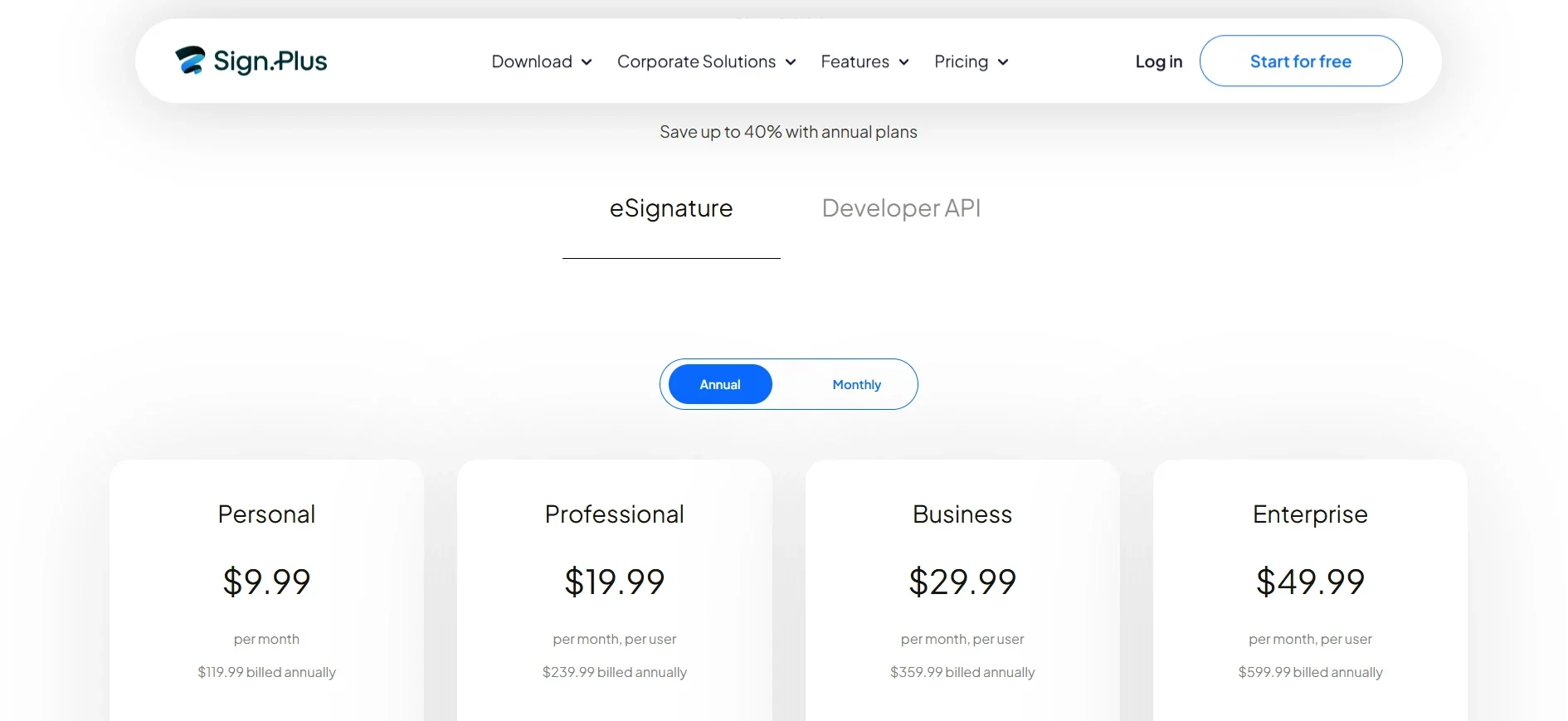
Sign.Plus offers a free option and four paid tiers. Annual billing is cheaper than paying month to month.
- Free: Includes 3 total signature requests and 1 template. It is suitable for occasional use and testing the platform.
- Personal: $9.99 per month when billed annually or $14.99 monthly. It includes one user, 10 signature requests per month, 5 templates, mobile access, and audit trails.
- Professional: $19.99 per month annually or $29.99 monthly per user, supporting up to five users. It removes the signature request limit and adds features such as folders, SMS authentication, in-person signing, public forms, and ID verification.
- Business: $29.99 per month annually or $49.99 monthly per user. It adds unlimited templates, document sharing, Zapier integration, custom branding, and bulk sending.
- Enterprise: $49.99 per month annually or $79.99 monthly per user. It adds features including single sign-on, HIPAA compliance with a Business Associate Agreement, advanced security controls, data residency options, and priority support.
Paid plans also include access to Scan.Plus Pro, Alohi’s mobile document scanning application.
Custom enterprise pricing is available for organizations that need requirements beyond the standard plans.
Security and Compliance
Security is one of the stronger aspects of Sign.Plus. The platform uses 256-bit AES encryption for documents both at rest and in transit. It also provides unique encryption keys per user. According to the source material, Sign.Plus holds ISO 27001 and SOC 2 Type II certifications and complies with GDPR, CCPA, and PCI DSS across its plans.
For organizations concerned about the legal validity of electronic signatures, Sign.Plus supports the U.S. ESIGN Act, European eIDAS framework, and Swiss ZertES requirements. Qualified Electronic Signatures are also available for situations requiring a higher level of legal recognition.
There is an important catch for regulated organizations. HIPAA compliance and a signed Business Associate Agreement are limited to the Enterprise plan. Data residency options are also restricted to Enterprise.
That means businesses handling healthcare information or facing specific data-location requirements should pay close attention to the plan they choose rather than assuming every subscription includes the same compliance features.
Sign.Plus Integrations
Sign.Plus integrates with several common productivity and cloud-storage services, including Google Workspace, Microsoft Word, Google Drive, OneDrive, Dropbox, Box, and iCloud Drive.
For businesses that already keep documents across these services, integrations can reduce the need to repeatedly download and upload files.
Zapier integration is available from the Business plan, allowing users to connect Sign.Plus with thousands of other applications. This can be useful for automating signature workflows triggered by events in other business tools.
A developer API is also available separately for organizations that want to integrate electronic signatures directly into their own applications or internal systems.
Sign.Plus Mobile App
The Android and iOS apps extend much of the web experience to mobile devices. You can review pending documents, sign documents, and access drafts created elsewhere.
The main drawback is the smaller screen. Moving and resizing fields on a phone can take more effort than working with a mouse and larger display.
Still, automatic synchronization between devices is useful for anyone who regularly switches between a computer and smartphone.
Sign.Plus Pros and Cons
Pros
- Free plan available without requiring a credit card
- Strong security and compliance credentials
- Reusable templates for recurring documents
- Bulk sending for larger workflows
- Mobile apps for Android and iOS
- Real-time audit trails
- Support for multiple electronic-signature standards
- Swiss-based data protection approach
-
Cons
- The free plan’s three-request limit is restrictive for regular users
- HIPAA compliance requires the Enterprise plan
- Data residency options are also limited to Enterprise
- Completing longer forms can be slower than editing a PDF directly
- Per-user pricing can become expensive as teams grow
Who Should Use Sign.Plus?
Sign.Plus makes the most sense for individuals and businesses that need reliable electronic signatures without an overly complicated interface.
Freelancers and solo professionals who only sign documents occasionally may be able to use the free plan. Those with more regular signing requirements may find the Personal plan more practical.
Small businesses and teams that regularly handle contracts, NDAs, onboarding documents, and client paperwork should look closely at Professional. The removal of the signature-request cap and addition of features such as in-person signing make it more suitable for regular business use.
Larger or regulated organizations may benefit most from Enterprise, particularly when HIPAA compliance, advanced security controls, SSO, or data residency are requirements.
Sign.Plus Alternatives
Sign.Plus competes with established eSignature platforms such as DocuSign and Adobe Acrobat Sign.
Its biggest advantage is that it offers a relatively broad feature set while remaining accessible at its lower pricing tiers. The free option also makes it easier to test the workflow before spending money.
The tradeoff is that larger competitors have stronger brand recognition and extensive integration ecosystems. If your organization depends on a particular third-party application, checking integration compatibility before switching is worthwhile.
Frequently Asked Questions
Is Sign.Plus legally binding?
Yes. Sign.Plus supports electronic-signature frameworks including the U.S. ESIGN Act, EU eIDAS, and Swiss ZertES. Qualified Electronic Signatures are also available for situations requiring a higher level of legal recognition.
Do recipients need a Sign.Plus account?
No. A recipient can open the signing invitation from their email and complete the document without creating a Sign.Plus account.
Does Sign.Plus have a free plan?
Yes. The free plan includes 3 total signature requests and 1 template. It is designed more for occasional use and testing than regular business workflows.
Is Sign.Plus HIPAA compliant?
Yes, but HIPAA compliance and a Business Associate Agreement are available on the Enterprise plan.
Can I try Sign.Plus before paying?
Yes. The free tier can be started without a credit card, and paid plans also offer a free trial.
Final Verdict: Is Sign.Plus Worth It?
Based on this Sign.Plus review, the platform is a solid option for individuals, freelancers, and businesses looking for a straightforward electronic-signature solution.
The interface is easy to understand, signature requests are simple to send, templates reduce repetitive work, and recipients do not need their own accounts to sign documents. The free plan is also useful because it gives occasional users a way to try the service without immediately committing to a subscription.
Security and compliance are another major strength. Sign.Plus supports several important regulatory and electronic-signature standards, although organizations with specialized requirements need to pay attention to which features are restricted to Enterprise.
The main weaknesses are pricing at higher user counts and the limitations of the free plan. Mobile form editing can also feel less convenient than working on a desktop.
Overall, Sign.Plus is worth considering if you want an easy-to-use eSignature platform with strong compliance features and a practical range of plans. For occasional users, the free tier is worth testing. For small businesses, Professional offers the most compelling balance of features and usability. Larger organizations should evaluate Enterprise based on their security, compliance, and data-residency requirements.
