
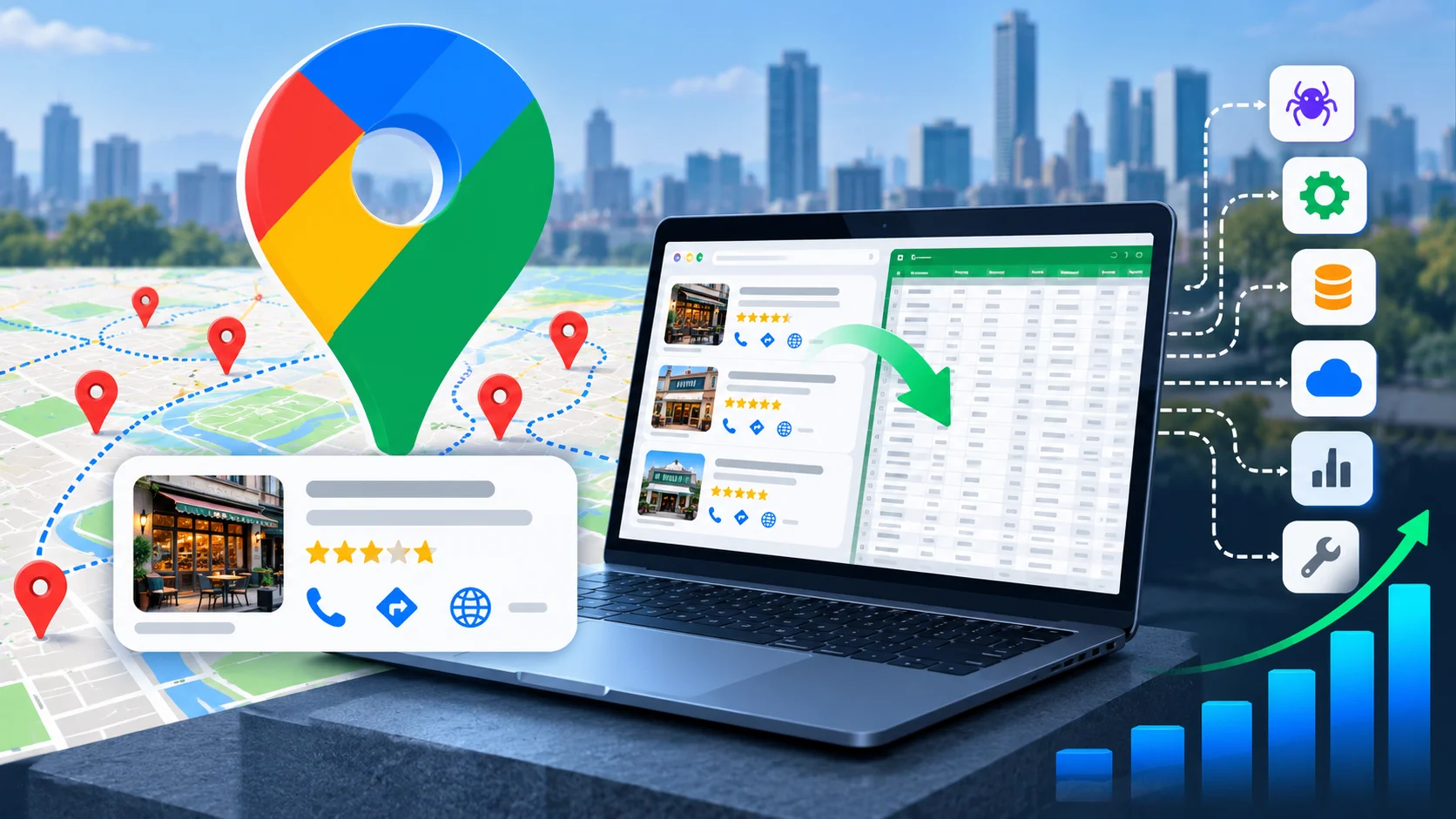
Google Maps contains an enormous amount of business information. Restaurants, clinics, retailers, agencies, contractors, hotels, and local service providers all have listings that can include names, addresses, phone numbers, categories, ratings, reviews, opening hours, websites, and other useful details.
The problem starts when you need more than a few of those listings.
Copying business information from Google Maps one listing at a time is manageable for a handful of prospects. Try doing it for several hundred businesses across multiple cities, though, and the process quickly turns into hours of repetitive work. That is the reason Google Maps scrapers have become useful for lead generation, local SEO research, competitor analysis, and market research.
A Google Maps scraper automates that collection process. Instead of manually opening listings and transferring information into a spreadsheet, the tool extracts available business data and delivers it in a structured format.
There is still a big difference between the tools available. Some are simple browser extensions. Others are no-code desktop applications, cloud platforms, scraping APIs, or spreadsheet add-ons. Pricing varies just as much, and so does the amount of data a tool can return from a single search.
We compared 10 of the best Google Maps scrapers based on pricing, available data fields, geographic coverage, scalability, free trials, and the way each tool handles Google Maps extraction. The result is a practical comparison for anyone trying to decide which Google Maps scraping software fits a particular project.
Quick Comparison: Best Google Maps Scrapers at a Glance
| Tool | Type | Free Option | Entry Price | Best For |
|---|---|---|---|---|
| Outscraper | Scraping API | 500 records/month | $3/1,000 records | Overall value and pay-as-you-go |
| Octoparse | No-code desktop & cloud | 10 tasks, 50K rows/month | $69/month | No-code visual scraping |
| Oxylabs | Scraper API | 2,000 results trial | $49/month | Enterprise feature set |
| Decodo | SERP Scraping API | 2,000 searches trial | ~$29/month | Budget-friendly scraping |
| Scrapingdog | Scraping API | 200 credits trial | $40/month | Multi-endpoint API access |
| Apify | Actor marketplace | $5 monthly platform credit | $1.50/1,000 places | Flexible scraping workflows |
| Bright Data | Scraper API & datasets | Free trial | $3/1,000 results | Large-scale extraction |
| PhantomBuster | Cloud automation | 14-day trial | $56/month | Lead-generation workflows |
| Data Miner | Chrome/Edge extension | 500 pages/month | $19/month | Quick browser-based pulls |
| NoDataNoBusiness | Google Sheets add-on | 200 credits, 30-day trial | $19/month | Spreadsheet-based scraping |
What Counts as a Google Maps Scraper?
A Google Maps scraper is a tool, script, browser extension, or service that extracts structured information from Google Maps pages.
The information collected depends on the platform and the type of scrape being performed. Common fields include business names, addresses, phone numbers, categories, opening hours, star ratings, review counts, websites, GPS coordinates, and photos. Some platforms can also collect additional information such as popular times, menus, pricing, reviews, or links associated with the business.
The underlying idea is straightforward: a Maps listing that a person can view in a browser is converted into rows and columns that can be sorted, filtered, exported, or moved into another system.
The implementation varies considerably. A browser extension might capture information from the page currently open in Chrome. A no-code scraper may run a predefined Google Maps workflow in the cloud. An API-based service can accept a location and keyword and return structured JSON to an application.
That difference matters once a project gets beyond a few searches. Someone researching 50 local businesses may be perfectly happy with a browser extension. A lead-generation company collecting thousands of businesses every week needs something capable of handling much larger jobs.
Why Not Just Use the Official Places API?
Google provides an official Places API for developers who need programmatic access to Maps and Places information. It can be a sensible choice for applications that need a controlled number of place lookups or location information inside an existing product.
Large-scale data extraction is a different use case.
There are three practical reasons many teams compare the official API with dedicated Google Maps scraping tools.
Cost at volume
The Places API uses billing based on requests and fields, so costs can increase as the amount of information and number of records grows. Scraping services commonly use result-based, credit-based, or subscription pricing instead.
Neither pricing model is automatically cheaper for every project. The important difference is that bulk data collection can make the economics of each approach very different.
The 120-result ceiling
A standard Google Maps search has a practical limit of around 120 visible results. That becomes restrictive when a search covers a large city or a broad category.
Dedicated scrapers can approach the problem differently. Instead of treating an entire city as one search, they can divide the geographic area into smaller zones and search each one separately. The results can then be combined into a much larger dataset.
A search for restaurants in Chicago, for example, does not have to stop after the results available from one broad query. A scraper using geographic segmentation can work through smaller areas and collect listings from across the target location.
Additional listing information
The official API does not expose every piece of information that can appear on a Google Maps listing. Depending on the scraper, rendered-page extraction can provide access to fields such as full review text and certain popularity-related information that may not be available through the same API workflow.
That doesn’t make the official API unsuitable. If a developer needs coordinates for a small number of places inside an application, it may still be the cleaner solution. The distinction becomes much clearer when the requirement is a large export that someone intends to analyze, enrich, or use for prospecting.
How We Evaluated These Google Maps Scraping Tools
The providers were evaluated using their published product information, pricing, documentation, and specifications in the source material rather than relying on generic rankings.
Five factors shaped the comparison.
Data completeness comes first. A useful scraper should provide more than a business name. Address, phone number, category, hours, ratings, review count, coordinates, and related listing information all increase the usefulness of the final dataset.
Scale beyond the 120-result limit is another important consideration. A tool that can collect information from one visible search page isn’t equivalent to one that can cover an entire city through multiple geographic searches.
Pricing transparency also matters. A $19 monthly subscription tells you something different from a $3-per-1,000-record model, and credit-based systems require another way of estimating costs.
Free access or a trial gives users a chance to test a real Google Maps search before committing to a paid plan.
Finally, we considered how the scraper is accessed. APIs suit developers, browser extensions are convenient for quick jobs, cloud platforms work well for automation, and spreadsheet add-ons can be useful when the entire workflow already lives inside Google Sheets.
The 10 Best Google Maps Scrapers
1. Outscraper
Outscraper is a pay-as-you-go scraping platform with a strong focus on Google products, and its Google Maps scraper is one of the most established parts of its offering.
The pricing model is straightforward. Rather than paying a recurring subscription simply to keep an account active, users add credit and spend it on the services they need. Maps data, reviews, photos, and other Google-related extraction tasks can be handled through the same platform.
Its location coverage is a major attraction. The source material lists more than 100 million business listings across 249 countries and roughly 5,490 Google Maps categories. A single export can contain more than 60 columns, including business name, complete address, category, claimed status, opening hours, popular times, review count, star rating, and social profile links obtained from a business’s website.
Pricing: The first 500 business records each month are free. After that, pricing starts at $3 per 1,000 records for volumes up to 100,000 businesses, with the rate falling to $1 per 1,000 after that. There is no additional monthly subscription fee.
Best for: Agencies, researchers, and businesses that want to pay for actual usage rather than commit to a fixed monthly subscription.
Watch out for: Email enrichment and review scraping are separate services, so the final cost can rise when a basic Maps dataset needs additional enrichment.
Outscraper is particularly useful when the same project involves several countries or a large number of business categories. The pay-as-you-go structure also works well for occasional campaigns where one month might involve 20,000 records and the next requires very little scraping.
2. Octoparse
Octoparse approaches Google Maps scraping from a completely different direction. Instead of expecting users to work with API requests, it provides a visual point-and-click environment that can be used without programming.
Its dedicated Google Maps template allows users to enter a keyword and location and begin extracting data. The platform also includes hundreds of other templates, so it can be useful when Google Maps is only one part of a wider research process.
The free plan is substantial enough for testing. It supports 10 saved tasks, local extraction, and up to 50,000 rows of export each month. Paid plans add cloud extraction, scheduling, concurrency, API access, IP rotation, and CAPTCHA-solving capabilities.
Pricing: A free plan is available. Standard costs $69 per month when billed annually, while Professional costs $249 per month when billed annually. Residential proxy bandwidth is available separately at $3 per GB.
Best for: Non-technical users who want a visual Google Maps scraping workflow.
Watch out for: The jump in price becomes significant once API access and heavier concurrency are required. Local extraction can also demand considerable computer resources during larger jobs.
Octoparse is a practical starting point for someone who doesn’t want to write code just to collect a list of businesses. Its cloud capabilities also make it more suitable for recurring tasks than a basic browser extension.
3. Oxylabs
Oxylabs began with proxy infrastructure and later expanded into scraping APIs, so its Google Maps offering sits within a broader web data platform.
The Google Maps scraper supports location targeting down to coordinates, which can be important for local SEO research where a search from one part of a city may produce different results from a search elsewhere.
Results can be delivered through webhooks or direct API requests, and the platform supports integrations with storage services such as Amazon S3 and Google Cloud Storage.
A free trial provides 2,000 results, giving developers an opportunity to test the workflow before paying. The documentation includes an AI-assisted query builder and a downloadable Postman collection, which can make initial API testing quicker.
Pricing: The free trial includes 2,000 results. Paid plans begin at $49 per month. Google Maps results cost $1 per 1,000 without JavaScript rendering or $1.35 per 1,000 with JavaScript rendering.
Best for: Developers and technical teams that need precise location targeting and API-based extraction.
Watch out for: The platform is oriented toward ongoing business use rather than tiny one-off scraping projects.
For local SEO teams measuring search results at specific geographic points, the coordinate targeting is more relevant than simply having a huge number of available records.
4. Decodo
Decodo, previously known as Smartproxy, positions itself as a more budget-conscious option for Google and search-engine scraping.
Its SERP Scraping API supports Google Maps alongside standard search results. Requests can be configured around geographic targeting at the country or city level, with options for browser and device selection and both raw HTML and structured JSON output.
The API playground is useful for developers who want to test requests interactively before incorporating them into a program. That can save time when the required location, device, or output settings aren’t obvious at the beginning.
Pricing: A free trial provides 2,000 searches. Paid access starts at roughly $29–$30 per month, with per-result costs positioned toward the lower end of specialized scraping APIs.
Best for: Startups, smaller agencies, and developers looking for Google Maps scraping without enterprise-level pricing.
Watch out for: Decodo’s broader focus is Google and search scraping, so it may not offer the same general-purpose scraping environment as a platform such as Apify.
It works particularly well when Google Maps is central to a search-data project and the team is comfortable working with an API.
5. Scrapingdog
Scrapingdog offers a Google Maps Scraping API with separate endpoints for business searches, reviews, photos, and posts.
That separation is useful when a project needs only one specific type of information. A developer researching businesses doesn’t necessarily need to retrieve review and photo data in every request.
The API can return parsed JSON as well as raw HTML. It also supports geolocation information, multiple languages, and custom map styling for certain regional scraping requirements.
Pricing: A 30-day free trial includes 1,000 credits, approximately 200 free requests. The Lite plan costs $40 per month for 40,000 requests, with larger plans reaching $500 or more per month for enterprise-level volumes.
Best for: Developers who prefer dedicated endpoints for different types of Google Maps information.
Watch out for: High-volume requirements can move into an enterprise sales process instead of remaining entirely self-service.
Scrapingdog’s separate endpoints make the platform easier to reason about when the application has a clear data requirement, such as collecting business listings first and reviews later.
6. Apify
Apify is a marketplace rather than a single scraper. It provides a collection of scraping tools called Actors, including Google Maps scraping options created by different developers.
The Google Maps Scraper built by Compass is one of the better-known Actors on the platform. The source material reports more than 500,000 users and a 4.7-star average from more than 1,600 public reviews.
The scraper can work around Google’s visible-result limitation by dividing a target area into a geographic grid and running searches across the individual cells.
Output can include business information, reviews, reviewer profiles, photos, contact details found through linked websites, opening hours, and pricing information when available. Jobs can be triggered through an API or scheduled, and integrations with tools such as Make and Zapier can connect the results to other workflows.
Pricing: Apify includes a $5 monthly platform credit. Usage is based on the Actor and resources consumed, with the referenced Google Maps scraper starting around $1.50 per 1,000 places.
Best for: Developers and technically comfortable teams that want customizable scraping workflows.
Watch out for: Apify is a marketplace, so features and pricing can differ from one Actor to another. Extra place details or image scraping can also increase the final cost.
The flexibility is useful when Google Maps extraction needs to connect with other automated tasks. It is less appealing when someone simply wants the easiest possible spreadsheet export.
7. Bright Data
Bright Data brings its large proxy infrastructure into its Google Maps Scraper API, making it particularly relevant for high-volume extraction.
The platform supports 195 countries with city-level and coordinate-level targeting. Its Google Maps scraper includes CAPTCHA solving, automatic retries, and response times that are typically under five seconds, according to the source material. It also operates with a large proxy pool intended for sustained extraction.
The available data can include business names, subtitles, addresses, phone numbers, menus, pricing, opening hours, popular times, images, review counts, categories, and other listing details.
Bright Data also offers pre-built Google Maps datasets. That gives companies another route when they need a large amount of location data but don’t want to operate an ongoing scraper themselves.
Pricing: A free trial is available. Pay-as-you-go pricing begins at $3 per 1,000 results and can fall to around $2.10 per 1,000 at higher subscription volumes.
Best for: Enterprise teams handling large and recurring Google Maps extraction projects.
Watch out for: Smaller projects may not justify the premium infrastructure or pricing.
For a company collecting location data across multiple countries on a regular schedule, infrastructure reliability can matter more than saving a few dollars on a small scrape.
8. PhantomBuster
PhantomBuster is less about extracting a spreadsheet and more about turning scraped information into an automated prospecting workflow.
Its Google Maps Search Export Phantom can collect business listings and pass the resulting data into other Phantoms. A sales team could start with local businesses, then continue into website or contact enrichment and other prospecting steps without manually moving each dataset between separate systems.
That workflow is the main reason to consider PhantomBuster.
Pricing: A 14-day trial is available. The Starter plan costs $56 per month for 20 hours of execution time. Higher plans include 80 hours for $128 per month and 300 hours for $352 per month.
Best for: Sales and growth teams using Google Maps data as the first step in a larger prospecting process.
Watch out for: Execution time determines the cost, so repeated or slow jobs can consume monthly hours quickly.
A simple CSV project doesn’t need this level of automation. A sales operation that routinely turns Maps searches into prospect lists may find the additional workflow capabilities much more useful.
9. Data Miner
Data Miner is the lightweight option in this comparison.
The Chrome and Edge extension operates inside the browser, which means setup is considerably simpler than configuring a cloud scraping API. Users can open Google Maps, apply a suitable scraping recipe, and export information to CSV or Excel.
The extension includes more than 60,000 pre-made recipes for different websites, although its usefulness for Google Maps depends on what is currently loaded in the browser.
That also defines its biggest limitation. Data Miner is intended for relatively small jobs and visible page content. It does not provide the same infrastructure for large geographic searches as a dedicated cloud scraper.
Pricing: Up to 500 scraped pages are available under the free option. Solo costs $19 per month, Small Business costs $49 per month, and Business costs $99 per month.
Best for: Freelancers, researchers, and people who need a quick pull of a relatively small number of listings.
Watch out for: The computer needs to stay awake and the browser page needs to remain available while the task runs. The tool also doesn’t independently overcome Google’s visible-result limitations.
For a one-off research task involving a few dozen businesses, that simplicity can be more useful than an enterprise API.
10. NoDataNoBusiness
NoDataNoBusiness takes a spreadsheet-first approach to Google Maps scraping.
Instead of requiring users to work through a separate dashboard and download the results later, the service operates as a Google Sheets add-on. Scraped Maps information can therefore appear directly in the spreadsheet where a sales, research, or marketing team already works.
The platform provides Google Maps templates and handles proxy rotation and JavaScript rendering behind the scenes. Basic data cleansing is also included, helping reduce obvious duplicates and formatting problems.
Pricing: The 30-day free trial includes 200 credits. The Starter plan costs $19 per month for 1,500 credits, while Business costs $69 per month for 10,000 credits.
Best for: Teams that manage their lead lists and research projects primarily in Google Sheets.
Watch out for: Credit limits can become restrictive for large, recurring extraction projects.
For a team that lives in spreadsheets, the convenience of having Maps data arrive directly in Google Sheets can eliminate several otherwise unnecessary steps.
Picking the Right Google Maps Scraper for Your Use Case
The differences between these tools become clearer when you look at the job rather than the feature list.
Building a cold-outreach lead list
Outscraper and Apify are useful starting points when the objective is to collect a broad set of businesses and export the available details.
PhantomBuster becomes more interesting when the list needs to continue into enrichment and prospecting rather than stopping at the initial Maps dataset.
A marketing agency searching for 5,000 restaurants across several cities, for example, may care more about record volume, geographic coverage, and downstream automation than about having a browser extension.
Local SEO auditing and rank research
Location precision matters more for local SEO.
A search performed from one part of a city can produce a different competitive landscape from the same keyword searched somewhere else. Oxylabs, Decodo, and Bright Data provide coordinate-level targeting, which makes them relevant when geographic precision is central to the research.
For an SEO agency comparing local visibility across several neighborhoods, that capability can be considerably more useful than simply choosing the scraper with the lowest headline price.
One-off research projects
A small research job rarely needs a complicated API.
Someone compiling a list of a few hundred businesses for a market study may find Data Miner sufficient. Octoparse’s free option can also be tested before moving to a paid plan.
The simpler setup can save more time than learning a developer-oriented scraping system for a task that may only happen once.
Automated, non-technical workflows
Octoparse and NoDataNoBusiness are the easier choices for teams that don’t want to maintain API integrations.
Octoparse adds cloud scheduling, while NoDataNoBusiness places the resulting data directly into Google Sheets.
The choice here is mostly about workflow. A team that already manages everything in spreadsheets may prefer the Sheets approach. A team that wants scheduled scraping tasks may get more value from Octoparse.
Google Maps Scrapers Can Be Part of a Larger Data Workflow
Maps data is often only one part of a broader research project.
A company studying local competitors may want business information, social activity, website details, reviews, and video content together. That is why Google Maps scraping tools are sometimes used alongside other extraction tools.
For example, an agency researching the online presence of local businesses can combine Maps listings with Instagram scraping tools to investigate public social activity associated with those businesses.
Video may provide another layer of competitor research. A company working in a video-heavy industry could combine Maps data with YouTube scraping tools to examine the public video presence of businesses in the same market.
Reviews are another separate use case. When the goal is specifically to collect review content rather than general business listings, the workflow changes, and a dedicated resource on how to scrape Google reviews provides more focused guidance.
The main point is that a Google Maps scraper does not have to be the entire data collection system. It can provide the initial business dataset that is later enriched with information from other public sources.
Staying on the Right Side of Google’s Rules
Publicly visible business information and automated access to that information are not exactly the same legal or contractual question.
Scraping publicly visible business data (names, addresses, phone numbers, ratings) sits on solid legal ground in most jurisdictions. US case law, most notably the hiQ Labs v. LinkedIn dispute, drew a clear line between accessing publicly available information and unauthorized computer access, ruling that pulling data anyone can already see in a browser falls on the lawful side of that line. That said, “legal” and “against a platform’s terms of service” are two separate questions, and Google’s own terms restrict automated access to its properties, even when the underlying data is public.
That distinction should not be ignored when planning a large-scale scraping operation.
There are also straightforward technical considerations. Sending huge numbers of requests from one IP address can trigger rate limits or blocks, turning an otherwise simple extraction job into an unreliable one.
A few sensible practices can reduce unnecessary problems:
- Keep request rates controlled rather than sending everything simultaneously.
- Focus on publicly visible business information.
- Avoid trying to access information that requires a login.
- Use appropriate infrastructure when the workload is large.
- Check the applicable terms and laws before launching a recurring scraping operation.
Managed platforms such as Outscraper, Oxylabs, Bright Data, and Apify handle much of the underlying infrastructure themselves. Teams building a custom scraper may need to understand proxies for Google scraping and how requests are distributed.
For larger extraction projects, residential proxies are often discussed because they can provide IP addresses associated with residential networks rather than traditional datacenter infrastructure. The technical choice still depends on the scraping workload and the provider’s implementation.
Frequently Asked Questions
What is the best free Google Maps scraper?
Octoparse and Outscraper have the most useful free options among the tools compared here. Octoparse provides a free plan with 10 tasks and up to 50,000 rows of export per month, while Outscraper provides 500 free business records each month.
For a small test, either can provide enough capacity to evaluate whether the workflow fits the project.
Can Google Maps scrapers get past the 120-result limit?
Many dedicated tools can collect substantially more than the visible results from one standard Google Maps search.
Platforms such as Apify, Outscraper, Bright Data, and Oxylabs can use geographic segmentation or similar techniques to search smaller areas and combine the results.
The important distinction is between repeating the same search and expanding the search geographically. A larger dataset requires a method that can discover businesses beyond one result set.
Do Google Maps scrapers extract email addresses?
Usually, email addresses are not directly available as standard Google Maps listing fields.
Some tools offer enrichment features that visit a business’s linked website and look for publicly available contact information. That is a separate step from extracting the Maps listing itself and may have its own cost.
Is a paid Google Maps scraper worth it?
For a small list, a free browser extension may be enough.
The calculation changes when manual work starts taking hours or the project needs hundreds or thousands of records. Cloud-based scraping can automate searches, handle larger geographic areas, schedule recurring jobs, and manage the technical infrastructure behind the extraction.
The value comes from the time saved and the additional scale, not simply from having more features.
How much does it cost to scrape 10,000 Google Maps listings?
Based on the pricing in this comparison, a 10,000-record job can cost roughly $15 to $30 on Outscraper or Bright Data, while Apify can fall around $10 to $15 depending on the Actor and usage.
Oxylabs and Decodo can potentially be less expensive depending on the request configuration and whether JavaScript rendering is needed.
Subscription-based tools such as Octoparse and Data Miner work differently. Their costs depend on the plan, tasks, pages, or execution structure rather than simply multiplying a price per thousand records.
Which Google Maps scraper is best for local SEO?
Local SEO projects should pay particular attention to geographic targeting.
Oxylabs, Decodo, and Bright Data support coordinate-level targeting, which can be useful when comparing search visibility from different parts of a city.
For a basic competitor list, that precision may not matter. For location-specific ranking research, it can become one of the most important features.
Which Google Maps scraper is easiest to use?
Octoparse is among the easier options for people who don’t want to work with code. Data Miner is even simpler for small browser-based tasks, while NoDataNoBusiness suits teams that prefer Google Sheets.
API-based platforms provide more control but require more technical setup.
Can Google Maps scrapers collect reviews?
Some can.
Several tools offer review extraction as part of their Maps-related functionality, although the exact fields and pricing vary. Review scraping can also be a separate task from extracting basic business listings.
Anyone primarily interested in review data should compare the review-specific capabilities rather than choosing a tool solely on its general Maps scraper.
Final Thoughts
There is no reason to choose a Google Maps scraper simply because it appears at the top of a generic list. The workload tells you much more about which tool belongs on your shortlist.
Outscraper is a strong choice for pay-as-you-go Maps extraction and broad geographic coverage. Apify offers more flexibility for developers who want configurable scraping workflows. Octoparse is easier to approach without programming, while NoDataNoBusiness keeps the workflow inside Google Sheets.
Oxylabs, Decodo, and Bright Data become more relevant when API access, geographic precision, infrastructure, and larger extraction jobs are priorities. PhantomBuster is particularly useful when a Maps search needs to feed into a wider lead-generation workflow. Data Miner remains practical for smaller browser-based projects.
Start with the actual requirements: number of listings, countries and cities, fields needed, scraping frequency, preferred access method, and what happens to the data after extraction.
A freelancer collecting 100 local businesses and an agency building a large international database don’t need the same Google Maps scraper. Choosing around that difference will save more money and setup time than simply picking the tool with the longest feature list.
