
Disclosure: Some links in this article are affiliate or sponsored links. If you buy through them, we may earn a commission at no extra cost to you. Our opinions are our own.

YouTube passed 2.5 billion logged-in users a month a while back, and the upload volume is honestly hard to picture: hundreds of hours of footage go up every single minute. Somewhere in that flood of uploads, comments, and channel metadata is one of the best public datasets on the web right now, covering consumer sentiment, trending topics, competitor content moves, and increasingly, raw material for AI training.
Problem is, YouTube was never designed to let anyone pull that data out in bulk. The official YouTube Data API gives most projects a 10,000-unit daily quota, and it drains fast. A single keyword search eats 100 units on its own, and if you need transcripts or captions, you’re stuck jumping through extra authentication hoops just to get there. None of that matters much for a weekend side project. But for an agency tracking a few hundred channels, a research team assembling a training corpus, or a marketer keeping tabs on competitor uploads across different regions, that quota wall shows up before lunch.
That’s the gap a dedicated YouTube scraper fills. Rather than fighting quota resets and OAuth scopes, these tools push requests through proxy networks, render pages the way an actual browser would, and hand back data that’s already clean and structured, in JSON or CSV, ready to use. What follows is a real comparison of the ten strongest tools out there right now, built off each provider’s own docs and pricing pages instead of recycled rankings, so the numbers below (proxy pool size, country coverage, starting price, free tier limits) are what these companies actually say about themselves.
What Counts as a YouTube Scraper?
Put simply, a YouTube scraper is any tool that pulls public data off the platform, video metadata, channel stats, comments, transcripts, search results, without going anywhere near Google’s quota-limited official API. Some show up as full scraper APIs you’d call from code. Others are no-code, drag-and-drop builders made for analysts who’d rather not touch a line of Python. And then there’s a smaller group that does exactly one job well, usually pulling transcripts for AI pipelines or content research, nothing more.
No matter which category ends up fitting your project, almost all of these tools are running the same stuff under the hood: rotating proxies, headless browsers rendering pages, CAPTCHA-solving logic quietly doing its thing. If that side of scraping is new to you, it’s worth getting a handle on how residential proxies actually work before you start comparing vendors. A provider’s proxy pool size and where those IPs are geographically spread out has a real effect on how well it holds up against regionally locked content or channels that rate-limit aggressively.
How We Compared These Tools
Six factors decided where each provider landed on this list:
- Data coverage. Does it return videos, channels, comments, Shorts, and transcripts, or just one of those?
- Unblocking strength. How large is the underlying proxy or IP pool, and how many countries does it reach?
- Ease of use. A raw developer API, a no-code visual builder, or something in between?
- Delivery format. JSON, CSV, webhook, or direct export to cloud storage?
- Pricing transparency. Flat per-record pricing, credit multipliers, or a subscription with a hard request ceiling?
- Free tier generosity. Can you actually test the tool before committing a card number?
With that framework in mind, here is how the top ten stack up.
Quick Comparison: Best YouTube Scrapers at a Glance
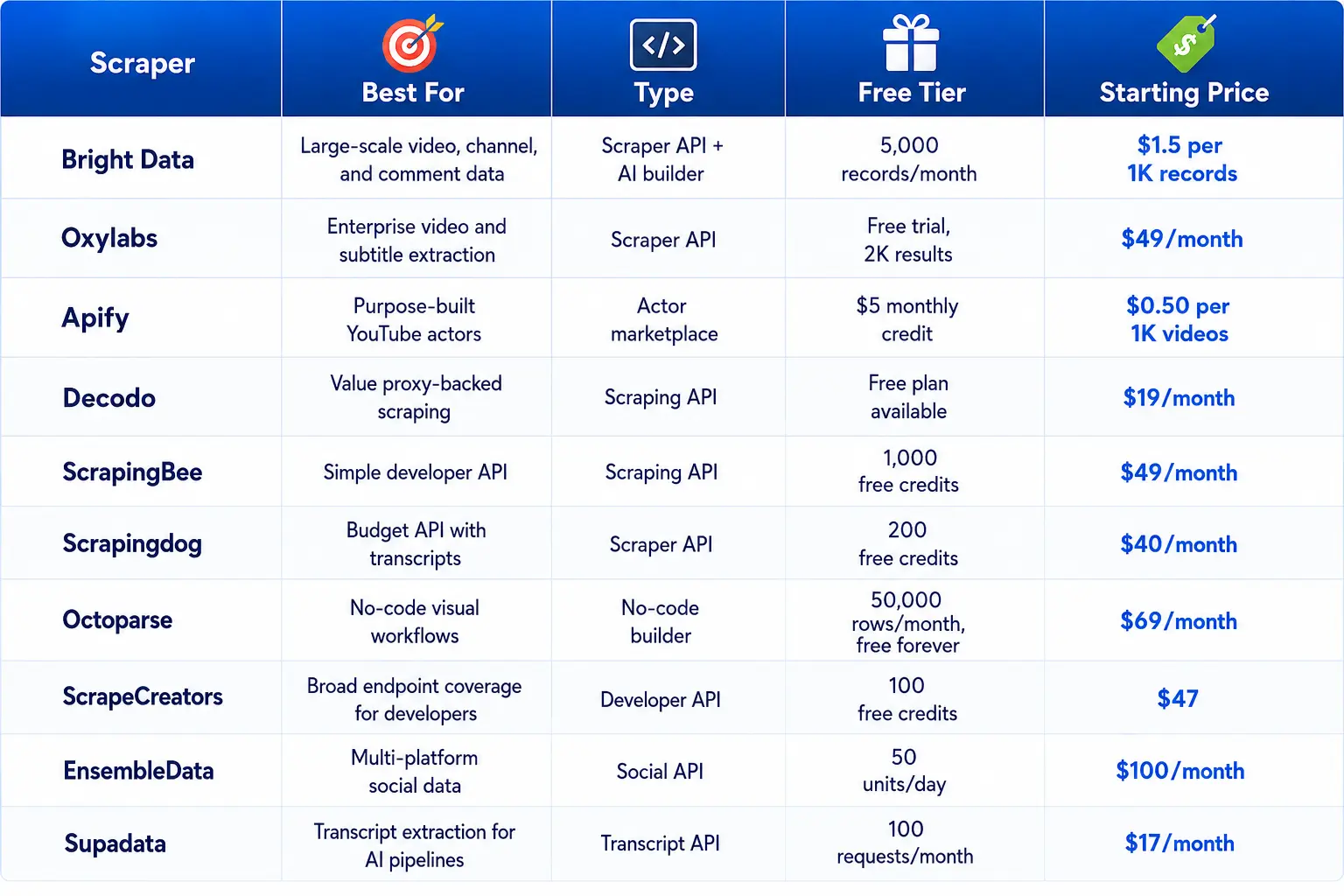
Pricing reflects each provider’s own published rate card at the time of writing and can shift as vendors update their plans.
1. Bright Data
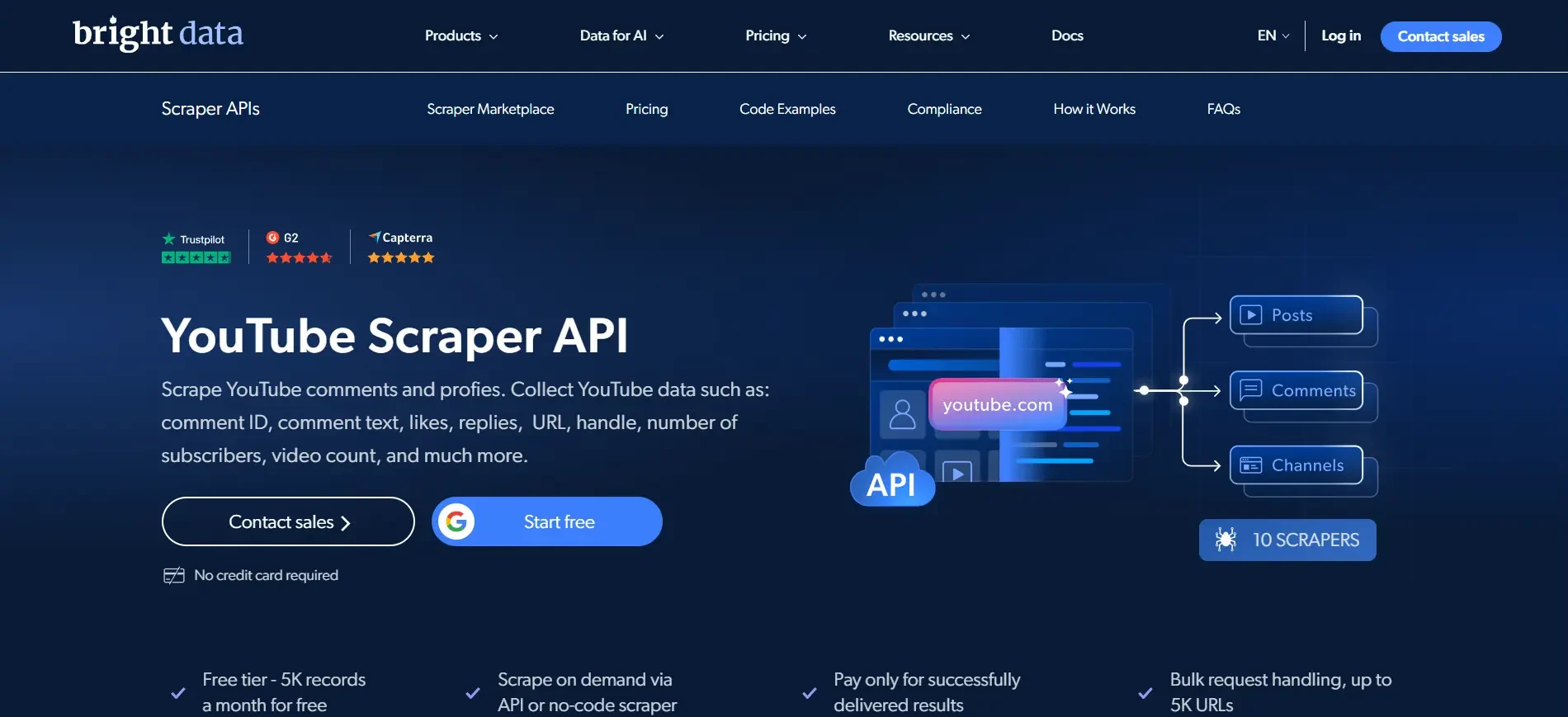
Bright Data is one of the strongest choices when a YouTube scraping project needs broad coverage and significant volume. Its YouTube Scraper API provides dedicated collection options for videos, channels, Shorts, and comments. Instead of asking developers to interpret raw page markup, the service returns structured information such as titles, view counts, likes, comment counts, transcripts, and channel identifiers. Output can be delivered in JSON, NDJSON, or CSV.
The platform also includes Scraper Studio, which is designed to make custom scraping easier. You can describe the information you want to collect and use the generated workflow rather than building every extraction rule from scratch. That makes it useful when your requirements extend beyond the standard YouTube datasets.
Infrastructure is a major part of the Bright Data proposition. The company says its network includes more than 400 million real-user IPs across 195 countries, with a published uptime figure of 99.99 percent. Its compliance documentation and large customer base can also be useful for organizations that need formal processes around public-data collection.
Pricing starts at $1.5 per 1,000 successfully delivered records on the pay-as-you-go model. The Scale plan is listed at $499 per month and includes 384,000 records, with additional records priced at a lower marginal rate. New accounts receive 5,000 free records per month without requiring a card to begin testing.
Best for: Agencies, research teams, and businesses that need several types of YouTube data at scale.
Trade-off: The product is powerful, but first-time users may need some time to understand its broader feature set.
2. Oxylabs
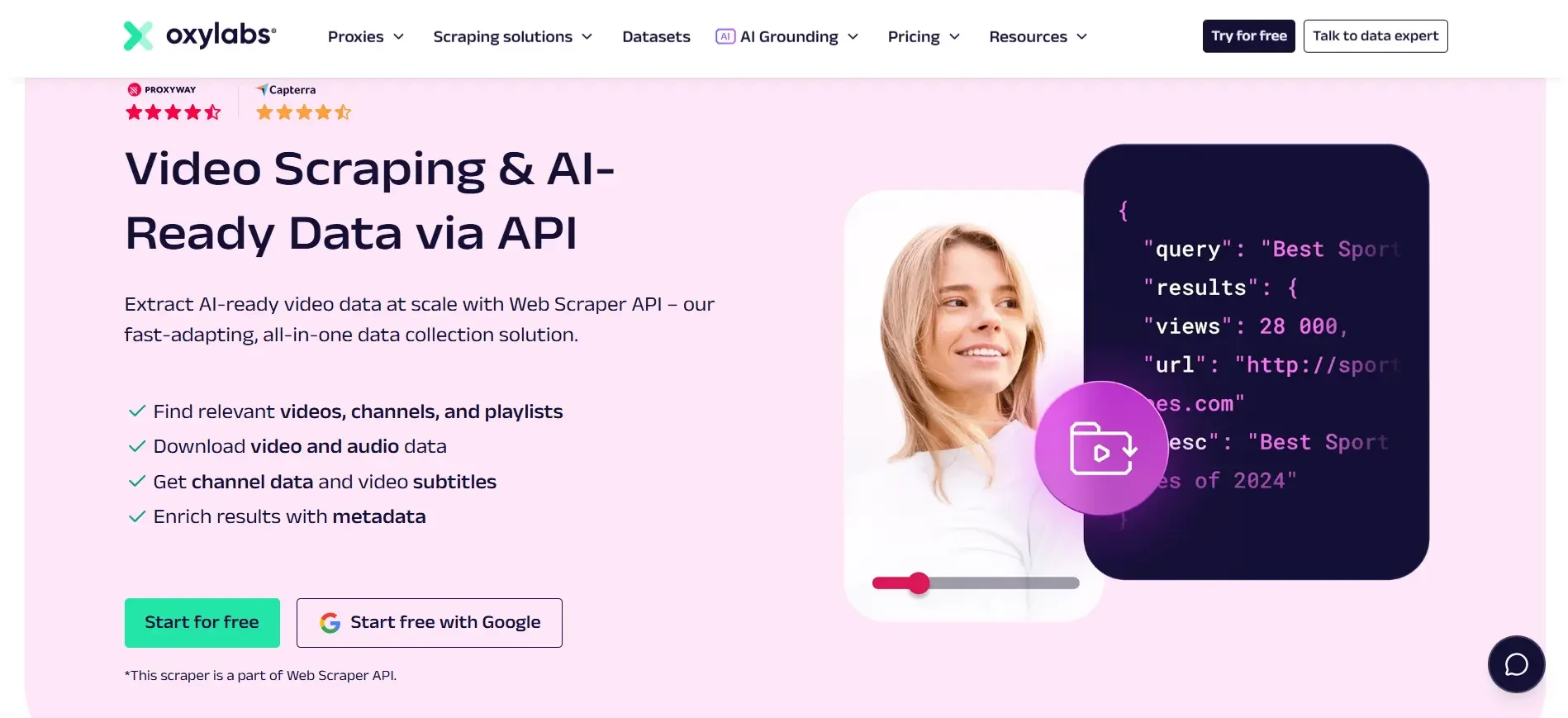
Oxylabs combines a general Web Scraper API with a dedicated Video Scraper designed around video metadata and subtitle collection. Our Oxylabs review also examines its reliability in other scraping use cases. This gives developers two routes depending on the project. You can use the general scraper when you need a broader page extraction workflow, or use the dedicated video endpoint when YouTube metadata and subtitles are the main objective.
The service uses an extensive proxy infrastructure, with more than 177 million IPs across 195 countries according to the source material. That geographic reach helps with regional collection and targets that apply aggressive rate controls.
Oxylabs also focuses heavily on structured output. Its parsing systems are designed to turn collected pages into usable fields, reducing the amount of HTML processing a developer needs to handle after a request succeeds. The same infrastructure can be useful beyond YouTube, which is an advantage for teams already using the platform for other scraping projects.
The Web Scraper API starts at $49 per month, while additional result and feature costs can affect the final bill. The service provides a free trial with 2,000 results, giving teams an opportunity to test actual collection before committing.
Best for: Enterprise users that want YouTube data alongside a wider web scraping stack.
Trade-off: The advertised entry price does not necessarily represent the final cost for advanced rendering or higher-volume usage.
3. Apify
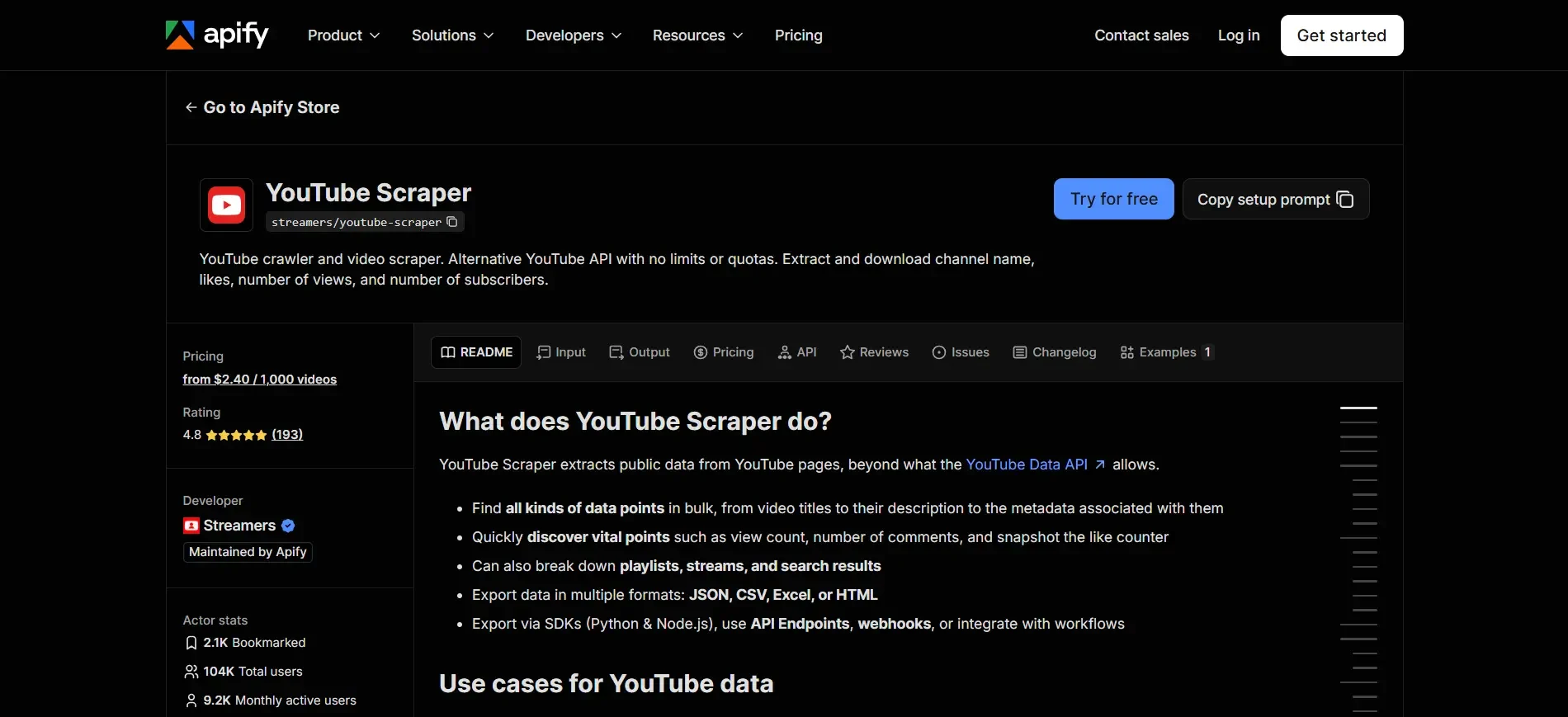
Apify approaches YouTube scraping differently. Instead of offering one fixed YouTube scraper, it provides a marketplace of tools called Actors. Several Actors are designed specifically for YouTube tasks such as search extraction, channel videos, comments, Shorts, playlists, and transcripts.
This model gives users considerable flexibility. You can select a tool for a specific job, provide a keyword or URL, and let the Actor run the collection process. Results are stored as structured datasets that can be accessed through the platform or integrated into automated workflows.
Pricing is largely usage-based. The source material lists YouTube video scraping at around $0.50 per 1,000 videos for relevant Actors, although individual tools can use different pricing models. Transcript-focused Actors may have different rates. Apify also provides $5 in monthly platform credit, which allows new users to test workflows without immediately paying for usage.
Paid plans start at $29 per month for users who need more capacity, scheduling, and team features. Another advantage is automation. Webhooks and scheduled jobs make it easier to turn a one-time YouTube scraping task into a recurring data pipeline.
Best for: Teams that want a large selection of ready-made YouTube scraping workflows.
Trade-off: Actor quality and maintenance can differ because different tools are developed and maintained separately.
4. Decodo
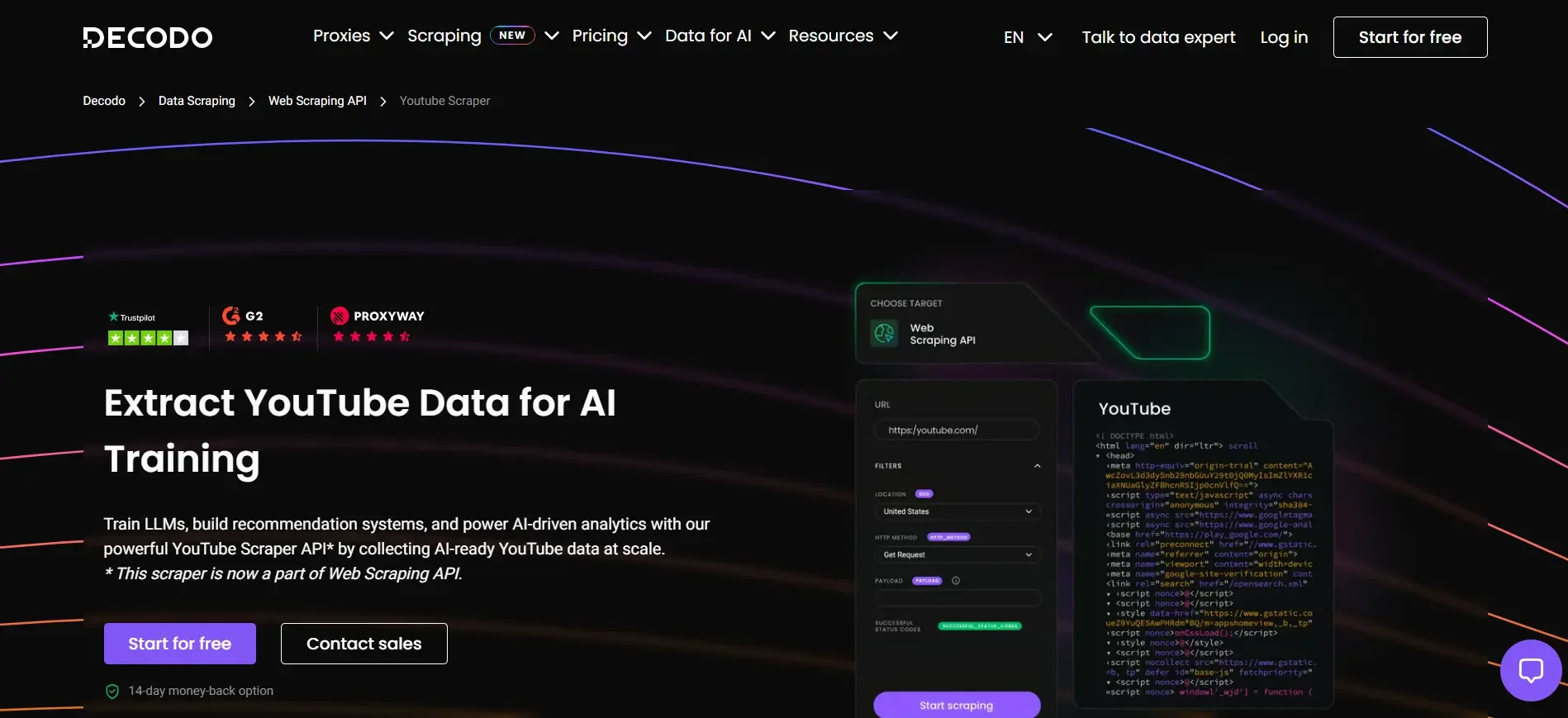
Decodo, formerly known as Smartproxy, combines web scraping infrastructure with a large proxy network. Its Web Scraping API can be used for YouTube collection, while a separate video and audio downloader is aimed at extracting YouTube content at scale.
The service uses more than 125 million residential, ISP, mobile, and datacenter IPs across 195-plus locations according to the source material. Developers who prefer to manage more of the scraping process themselves can also use its datacenter proxies.
One of Decodo’s biggest advantages is the relatively low entry point. The source material lists plans beginning at $19 per month for 38,000 requests, putting the advertised entry cost around $0.50 per 1,000 requests. A free plan is also available for testing.
The service is particularly appealing when YouTube is one part of a larger scraping strategy. Instead of maintaining separate infrastructure for YouTube, search results, and other web data, teams can use the same account and API environment.
Best for: Budget-conscious developers and teams that want scraping plus proxy infrastructure.
Trade-off: Compared with a dedicated YouTube parser, you may need to perform more field mapping or post-processing yourself.
5. ScrapingBee
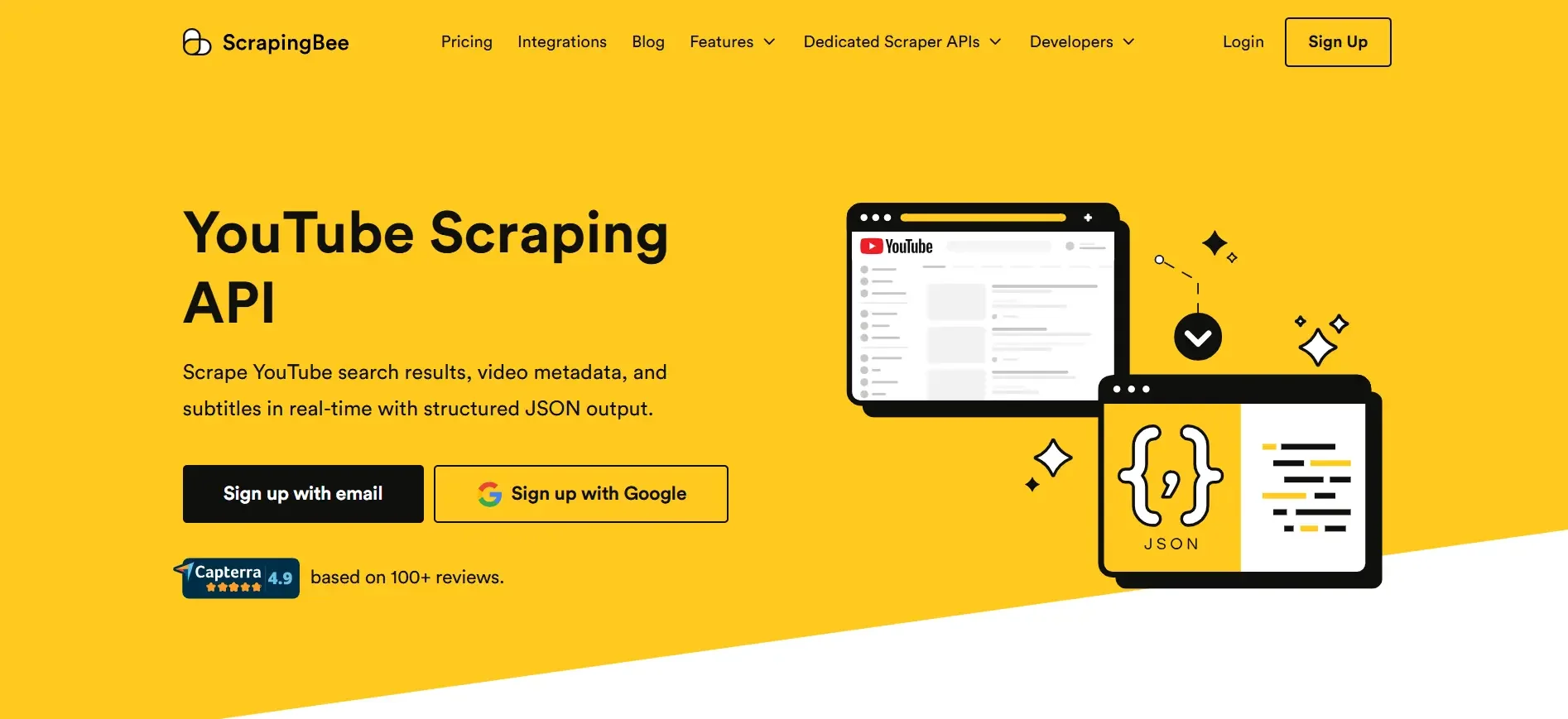
ScrapingBee is designed around simplicity. Its API handles browser rendering, proxy rotation, and CAPTCHA-related work behind the scenes, while developers interact with a comparatively straightforward endpoint. For small teams, that can eliminate much of the infrastructure work normally associated with scraping.
The service provides YouTube-oriented collection capabilities for video, search, and channel information. Rather than maintaining a scraping browser cluster yourself, you make API requests and work with the returned data.
ScrapingBee uses a credit-based pricing system. The entry plan is listed at $49 per month for 150,000 API credits. A typical YouTube search consumes five credits, so the real amount of data you can collect depends on which operations your project performs. New users receive 1,000 free credits without needing to provide a card.
Best for: Developers who want a simple API and minimal scraping infrastructure to manage.
Trade-off: Credit consumption can increase for heavier operations, so estimate your actual request mix rather than comparing subscription prices alone.
6. Scrapingdog
Scrapingdog offers dedicated YouTube endpoints for several common tasks, including video information, search, channels, comments, and transcripts. That specialization makes it attractive to developers who want to work with YouTube data without assembling multiple generic scraping endpoints.
The service is backed by a proxy pool of more than 40 million IPs according to the source material. One useful billing feature is its approach to failed requests. Requests that fail or are blocked can be refunded to the account’s credit balance, meaning you are not paying for an unsuccessful collection attempt.
The Lite plan starts at $40 per month, with 200 free credits available to new accounts without requiring a card. YouTube video and search requests use five credits per request in the source material’s pricing example.
Scrapingdog is particularly useful for projects where transcripts and comments are as important as basic video metadata. The dedicated endpoints can reduce the amount of custom parsing needed in your application.
Best for: Developers looking for dedicated YouTube endpoints at a moderate price.
Trade-off: It is primarily an API product, so non-technical teams may prefer a visual scraper.
7. Octoparse
Octoparse is the strongest no-code choice in this comparison for users who want to collect YouTube data without building an API integration. Its visual interface lets you configure scraping workflows through point-and-click actions instead of writing Python or JavaScript.
Templates are available for tasks involving YouTube channels, video lists, comments, and transcripts. You can test workflows locally and later move jobs to the cloud when you need scheduling or automated execution.
The free plan is one of Octoparse’s most attractive features. According to the source material, it remains free forever and supports up to 50,000 exported rows per month, along with ten local scraping tasks. That makes it useful for learning, small research projects, and occasional competitive analysis.
Paid plans start at $69 per month for the Standard tier. Paid features include cloud extraction, IP rotation, automatic CAPTCHA solving, and access to a much larger library of templates.
New users who have never built a scraper may find it helpful to practice on sandbox scraping sites before creating production workflows for live YouTube data.
Best for: Marketers, analysts, and other non-developers who need YouTube data.
Trade-off: The free plan is useful for testing, but recurring cloud-based workflows require paid features.
8. ScrapeCreators
ScrapeCreators is a developer-oriented API with a broad set of YouTube endpoints. The source material lists roughly sixteen YouTube endpoints covering areas such as channels, videos, comments, transcripts, search, trending content, and sponsor detection. The platform also supports many other social networks, making it useful when YouTube is part of a larger social data project.
Authentication is straightforward, with requests using a single header. The service also does not impose a daily rate limit in the way some platforms structure their usage. That can be helpful for batch processing where demand changes from day to day.
Another notable feature is credit longevity. Purchased credits do not expire, so unused capacity can remain available for a future project rather than disappearing at the end of a billing period. New users receive 100 free credits, while the source material lists a $10 Solo Dev plan and a $47 Freelance tier.
ScrapeCreators also provides an MCP server and CLI, which can be useful for automated development environments and AI-driven workflows.
Best for: Developers who want multiple YouTube endpoints and flexible credit usage.
Trade-off: It is newer than several established scraping companies, so larger organizations may find enterprise procurement and support less mature.
9. EnsembleData
EnsembleData is designed as a social data API covering multiple platforms rather than as a YouTube-only scraper. Its YouTube coverage includes endpoints for channels, videos, search, comments, and hashtags, with structured responses intended for programmatic use.
The multi-platform approach is the main attraction. If your team already collects data from several social networks, adding YouTube through the same API can simplify architecture and billing. You do not need to maintain a separate integration solely for YouTube.
The service uses daily units shared across supported platforms. The source material lists a free tier of 50 units per day without requiring a card, while the Bronze plan starts at $100 per month. Failed requests caused by internal service errors are not charged against the quota.
That daily-unit model is convenient for steady workloads but can be less flexible for projects that need large bursts. An unused allowance from one day cannot simply be moved into a later day.
Best for: Social intelligence teams that need YouTube alongside other social platforms.
Trade-off: Daily usage limits can make burst-heavy collection less convenient than monthly credit systems.
10. Supadata
Supadata takes a narrower approach than most tools in this comparison. Its primary purpose is transcript and metadata extraction from videos across YouTube and several other social platforms. That focus makes it especially relevant for AI teams, researchers, and content workflows where transcripts matter more than comments or detailed channel scraping.
The service first attempts to retrieve native captions. If captions are unavailable, its AI transcription fallback can generate a transcript through the same integration. This can simplify application logic because the developer does not have to build separate handling for videos with and without captions.
Supadata provides Python and JavaScript SDKs, batch processing, and no-code integrations for services such as Zapier, Make, and n8n. New accounts receive 100 free requests per month, while paid plans start at $17 per month.
For a project that needs thousands of transcripts but does not need every field associated with a YouTube channel, this narrower approach can be more economical than paying for a full scraping platform.
Best for: AI pipelines, research teams, and content systems focused on video transcripts.
Trade-off: Its narrow scope means you may need another service for extensive comment, channel, or search data.
Choosing Between a Scraper API and a No-Code Tool
If your team already ships code and wants YouTube data flowing straight into a pipeline, a scraper API like Bright Data, Oxylabs, ScrapingBee, or Scrapingdog gets you there fastest, since the output arrives pre-structured and ready for a database or a dashboard. If nobody on the team wants to touch an API key, Octoparse’s visual builder covers the same ground through templates instead of code, at the cost of some flexibility.
Teams that specifically need transcripts for AI training or content research rarely need a full-scale scraper at all. Supadata or a dedicated transcript endpoint from Scrapingdog or ScrapeCreators will get there with far less setup, and often at a lower per-item cost than a general-purpose API charging for fields you never use.
For anyone running scraping jobs across dozens of channels or thousands of videos a day, the proxy layer underneath the tool matters as much as the API itself. Reviewing how web scraping at scale actually gets architected, with multi-region proxy rotation and distributed request scheduling, gives useful context for why some providers charge more once volume climbs past a few hundred thousand records.
Is It Legal to Scrape YouTube?
Scraping publicly available YouTube data, the kind visible to any visitor without logging in, is generally permitted under the same principles that govern web scraping more broadly: courts in several jurisdictions have distinguished between accessing data that is openly published and accessing data behind an authentication wall. That said, YouTube’s own terms of service restrict automated access in certain ways, copyright protection still applies to the video content itself even when the metadata around it is fair game, and personal data tied to private comments or non-public profile fields sits in a different legal category entirely.
In practice, most legitimate use cases (tracking public view counts, aggregating public comment sentiment, or pulling transcripts of videos that are already open to anyone) stay well within accepted norms. Anything involving login-gated content, circumventing paywalls, or reselling scraped video files raises separate questions that a scraper API cannot answer for you. If a project sits anywhere near that line, a conversation with legal counsel familiar with your jurisdiction is worth more than any blog post, including this one.
How Does YouTube Detect Scrapers?
YouTube leans on a handful of overlapping signals to separate real visitors from automated traffic. IP-based rate limiting is the most obvious: send too many requests from one address in a short window and you will hit an HTTP 429 error, followed eventually by a temporary or permanent block if the pattern continues. Behind that sits behavioral analysis that looks at mouse movement, scroll patterns, and request timing to flag anything too mechanically regular to be a human, along with checks on whether a browser actually executes JavaScript the way a real one would, since many lightweight scrapers skip that step entirely.
This is exactly why the proxy pool size behind each tool in this comparison matters so much. A scraper routing every request through the same handful of IPs will get flagged quickly regardless of how well its parsing logic works, while one drawing from tens or hundreds of millions of rotating addresses across 195-plus countries looks, from YouTube’s side, like ordinary traffic spread across the globe.
Frequently Asked Questions
What data can a YouTube scraper actually collect?
Public video titles, descriptions, view and like counts, upload dates, durations, tags, thumbnails, channel names and subscriber counts, search results, playlist contents, comments, and transcripts. Exactly which of these a given tool returns depends on its endpoints, and private or login-gated fields stay out of reach regardless of the tool.
Do I need my own YouTube API key to use these tools?
No. Every scraper on this list operates independently of Google’s official YouTube Data API and its quota system, so there is no OAuth setup or daily unit ceiling to manage on your end.
Can I scrape YouTube without writing any code?
Yes. Octoparse is built specifically for that use case, and several Apify actors offer a simple form-based interface even though the underlying platform is API-driven.
Which of these tools is cheapest YouTube scraper?
Supadata’s $17 monthly plan and free 100-request tier suit a single transcript-focused project well, while Apify’s pay-per-result pricing means a small one-off pull against a handful of channels can cost only a few dollars.
Do proxies matter if I only need to scrape a handful of videos?
Less than you would think at small scale, since most providers absorb light usage within their own infrastructure automatically. Proxy pool size starts to matter once you are pulling from many channels regularly or hitting YouTube’s rate limits directly with a custom-built scraper.
Final Thoughts
Truth is, there’s no universal winner here, the right tool really comes down to where your project falls between needing massive scale and needing one specific thing done well. If you’re after enterprise-level dependability across videos, channels, and comments in one place, Bright Data and Oxylabs are the two worth your attention. Apify and Decodo work better for teams that want room to maneuver without paying premium rates. If you’re a developer hunting the lowest price per successful pull, Scrapingdog and ScrapeCreators are hard to beat. Octoparse still holds the crown for anyone who wants results without writing code, and Supadata or EnsembleData suit folks with a narrower, more specific job to knock out.
Regardless of what you end up choosing, test the free tier first, don’t skip that step. Every single provider on this list gives you one and pointing it at the actual channels or videos your project cares about will teach you more in a quarter hour than any chart or table ever could.
