
Disclosure: Some links in this article are affiliate or sponsored links. If you buy through them, we may earn a commission at no extra cost to you. Our opinions are our own.
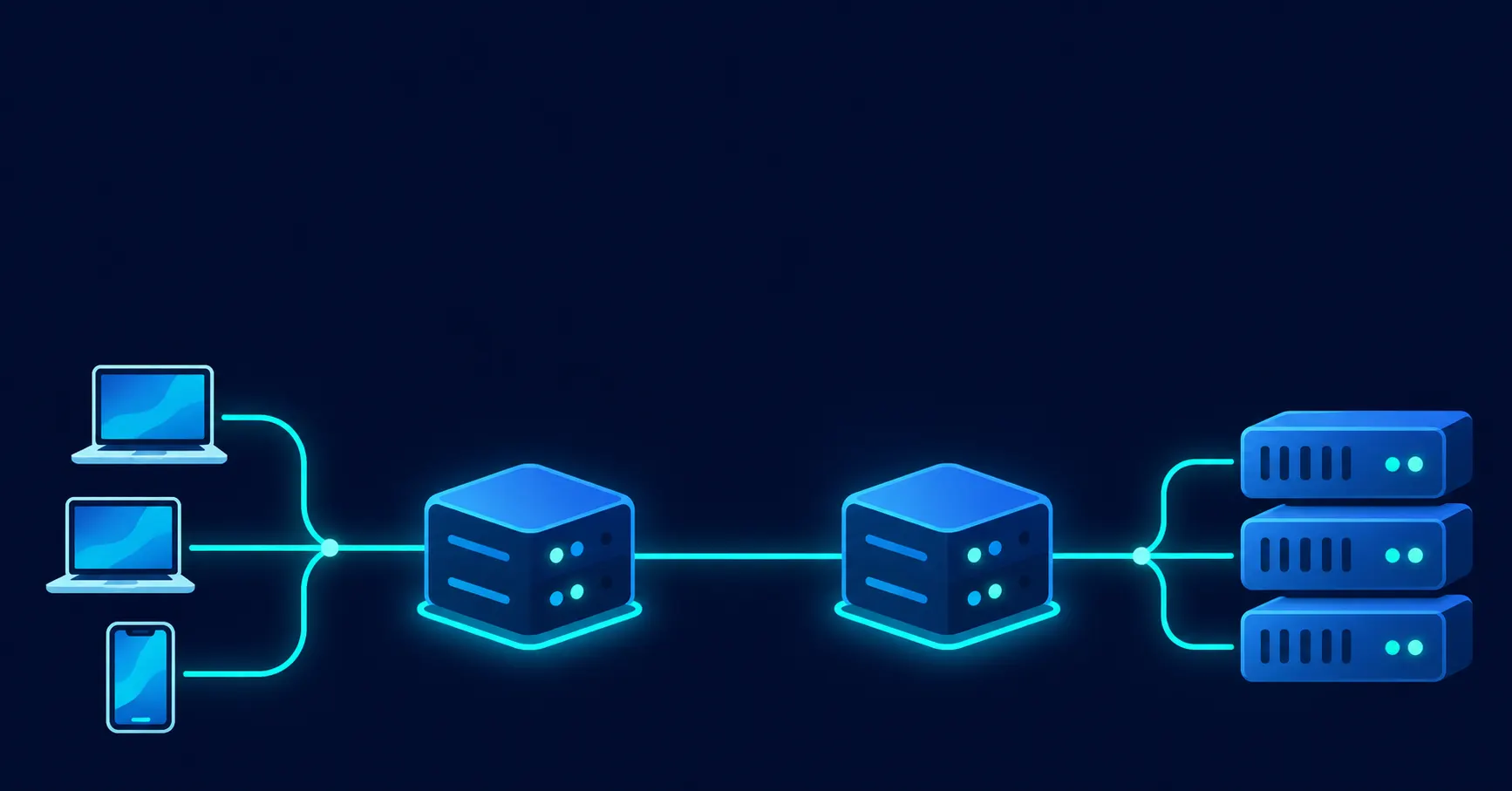
A forward proxy and a reverse proxy can both sit between two points in a network connection, but they solve different problems. One manages requests leaving a client or private network, while the other handles requests coming into a website or application. Confusing the two can lead to the wrong infrastructure choices, particularly when security, traffic management, and IP visibility are involved.
The distinction comes down to which side the proxy represents. A forward proxy acts on behalf of the client making a request. A reverse proxy acts on behalf of the server receiving it. Both can filter traffic, cache content, and influence how requests are handled, but their responsibilities are not interchangeable.
Understanding the forward proxy vs. reverse proxy difference is useful when managing an office network, building a web application, running automated data collection, or protecting a website against unwanted traffic. The right setup depends on where requests originate, where they need to go, and which part of the connection you want to control.
This guide explains what each proxy does, how traffic moves through it, where the two approaches are used, and what to consider before deploying either one.
What Is a Proxy Server?
A proxy server acts as an intermediary between a client and a destination server. Instead of connecting directly to a website or application, the client sends its request to the proxy. The proxy processes the request, forwards it to the destination when necessary, receives the response, and passes that response back to the client.
This arrangement changes how the two endpoints communicate. The client interacts with the proxy rather than establishing a direct connection with the destination server. Depending on its configuration, the proxy can also inspect requests, apply access rules, cache frequently requested resources, or record network activity.
There are two main ways to position a proxy within this communication process.
A forward proxy sits between clients and external servers. It handles outgoing requests from users, devices, or applications within a network.
A reverse proxy sits between external visitors and the servers hosting a website or application. It receives incoming requests and decides how to handle or distribute them.
The difference is not simply where the proxy is installed. It is about whose interests it represents and which direction of traffic it manages.
What Is a Forward Proxy?
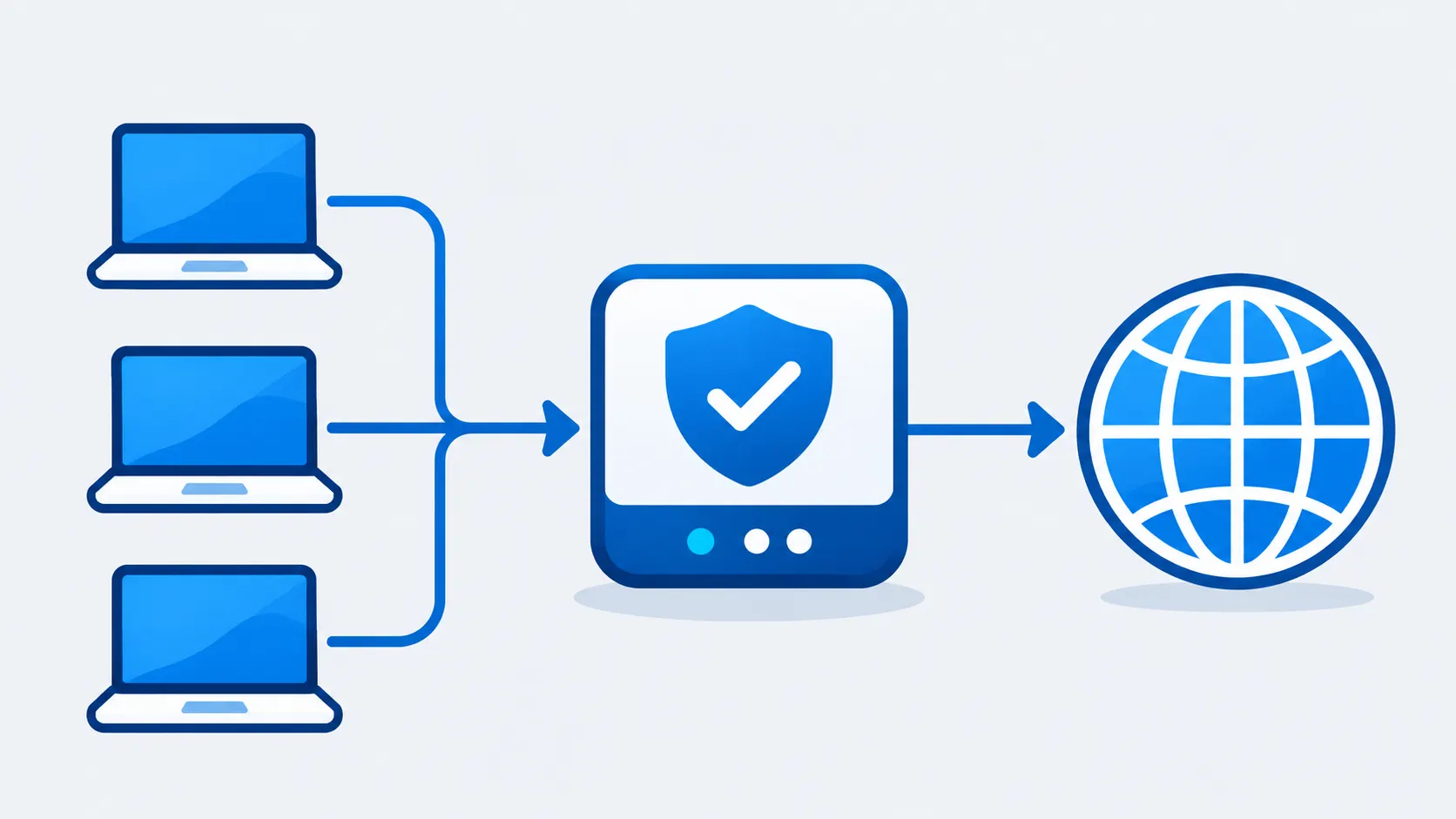
A forward proxy operates on behalf of clients. When a user opens a website or an application sends a request to an external service, the request first travels to the forward proxy. The proxy then contacts the destination server and retrieves the requested information.
The destination server generally sees the proxy’s IP address as the source of the connection rather than the client’s original IP address. The response travels back through the proxy before reaching the requesting device.
Consider a company with several hundred employees. Instead of allowing every laptop to connect directly to the internet, the IT team can route outbound web traffic through a centrally managed forward proxy. The company can then apply browsing policies, monitor network activity, and restrict access to specific destinations.
The same principle applies to individual users and automated applications. A scraping program, for example, can send requests through a proxy rather than using its own network address for every connection.
A forward proxy does not automatically provide complete anonymity or encryption. Websites may still identify visitors through login information, cookies, browser fingerprints, and other signals. Its actual capabilities depend on the proxy type, configuration, and traffic being handled.
Common Forward Proxy Use Cases
Forward proxies are used in environments where controlling outgoing connections matters. Their applications range from network administration to automated data collection.
– Hiding the client IP address: A forward proxy replaces the client’s visible source IP with its own when communicating with the destination. This can help protect the original network address from appearing in destination server logs. However, IP masking alone does not make a user completely anonymous. Cookies, account activity, and browser fingerprints may still reveal identifying information. Our guide to the anonymous proxy explains the limitations of this approach in more detail.
– Access control: Schools, businesses, and other organizations can use forward proxies to manage which websites employees, students, or network users are allowed to access. Administrators can create rules that restrict specific categories of websites or prevent connections to destinations that violate organizational policies.
– Content filtering: A forward proxy can examine outbound requests and, depending on its configuration, inspect responses before delivering them to the client. This allows network administrators to block known phishing websites, malicious downloads, and other potentially harmful resources.
– Bandwidth management through caching: Repeated requests for the same external content do not always need to reach the original destination. A forward proxy can store eligible resources and serve cached copies to subsequent users. For example, if multiple employees download the same publicly available file, the proxy may retrieve it once and reuse the saved copy, reducing unnecessary bandwidth consumption.
– Network monitoring and logging: Organizations can record outbound connections to understand how their networks are being used. These records can support security investigations, internal audits, and compliance requirements.
– Accessing restricted resources: A forward proxy can route requests through an approved network location or connection path. This can be useful when access depends on organizational network policies or permitted regional availability. The proxy does not override every restriction, and the destination may apply additional checks.
Explicit and Transparent Forward Proxies
Forward proxies generally operate in two ways: explicit and transparent.
An explicit forward proxy requires the client to know that a proxy is being used. The proxy address and connection settings are configured in the operating system, browser, application, or network environment. Once configured, the client sends applicable requests to that intermediary.
A transparent proxy works differently. It intercepts eligible network traffic without requiring users to configure proxy settings manually. The proxy is positioned within the network infrastructure, allowing administrators to apply filtering and monitoring rules without individual device configuration.
This approach is common in managed office, institutional, and campus networks. Users may not even realize that their internet traffic passes through an intermediary.
The distinction matters because the two approaches offer different levels of visibility and control. Explicit proxies provide a clear client-side configuration, while transparent proxies allow administrators to manage traffic centrally.
What Is a Reverse Proxy?
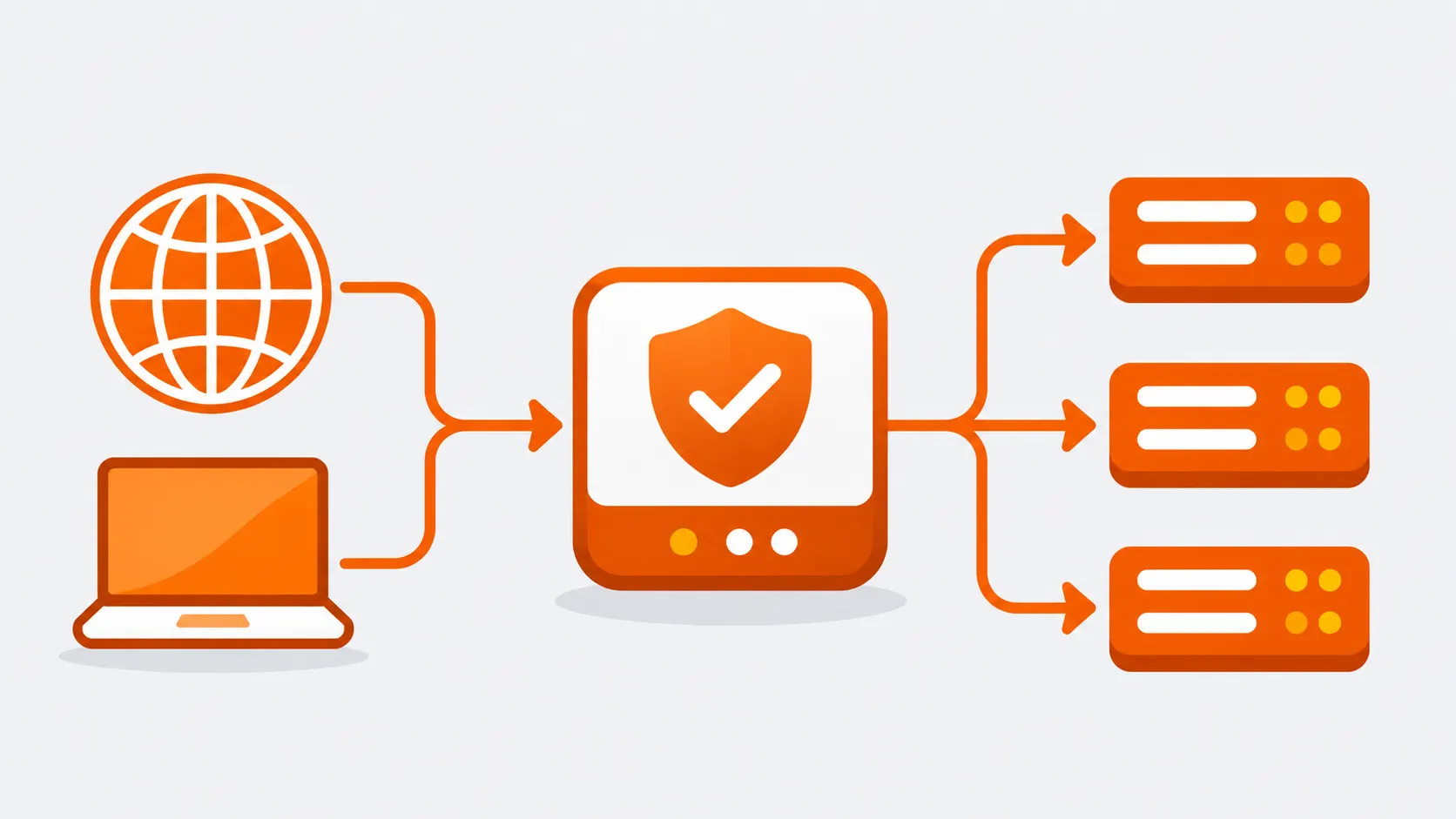
A reverse proxy operates on behalf of one or more backend servers. It receives requests from visitors and forwards them to the appropriate server instead of allowing those visitors to communicate directly with the backend infrastructure.
When someone enters a website’s domain name, the request reaches the reverse proxy first. The proxy examines the request, applies its configured rules, and determines how to handle it. It may return a cached response immediately or forward the request to an application server.
The backend server processes the request and sends its response to the reverse proxy, which then delivers the result to the visitor.
From the visitor’s perspective, the reverse proxy appears to be the website’s public-facing endpoint. The internal servers remain behind it, and visitors do not need to know how many backend systems are handling their requests.
Imagine an online store running across six application servers. During a sale, thousands of customers may visit the website at the same time. Sending every request directly to one application server could create a bottleneck.
A reverse proxy can distribute incoming requests across the available servers. It can also check server availability, manage HTTPS connections, cache suitable content, and apply security rules before requests reach the application.
Common Reverse Proxy Use Cases
Reverse proxies are particularly useful for websites, APIs, and applications that receive traffic from external users. Their role extends beyond forwarding requests.
– Load balancing: A reverse proxy distributes incoming requests across multiple backend servers. This prevents a single server from handling the entire workload and helps maintain service availability. If one backend becomes unavailable, a suitably configured proxy can direct requests to other healthy servers.
– Backend server protection: A reverse proxy keeps internal server addresses and infrastructure details away from direct public exposure. Visitors connect to the proxy’s public-facing address rather than the individual application servers. This reduces the number of systems directly exposed to external traffic.
– TLS termination: Managing HTTPS certificates across several backend servers can add operational work. A reverse proxy can handle the incoming TLS connection, decrypt the request, and forward it to the appropriate backend according to the security configuration. Certificate management can therefore be centralized at the proxy layer.
– Caching frequently requested content: A reverse proxy can store eligible responses and deliver them without repeatedly contacting the origin server. This reduces backend workload and can improve response times, particularly for content that does not change frequently.
– Request routing: A reverse proxy can route traffic according to the requested domain, URL path, or HTTP headers. For example, a website may serve its blog from one backend and its application from another, while visitors use a single domain.
– Security controls: Depending on the software and configuration, a reverse proxy can enforce rate limits, filter suspicious requests, and apply web application firewall rules. These controls provide an additional layer between public traffic and the application.
– Response compression: A reverse proxy can compress eligible responses before sending them to visitors. Smaller response sizes reduce the amount of data transferred and can help pages load faster, particularly on connections with limited bandwidth.
A reverse proxy is not automatically a complete security solution. Its effectiveness depends on how it is configured, which protections are enabled, and whether the backend servers are also secured properly.
Forward Proxy vs Reverse Proxy: The Key Differences
The most important forward proxy vs reverse proxy difference is the direction in which each handles traffic. A forward proxy represents clients making outbound requests, whereas a reverse proxy represents servers receiving incoming requests.
That distinction influences how each one is deployed, who manages it, what information it hides, and which network problems it helps solve.
The side each proxy represents: A forward proxy acts on behalf of the client. It manages requests from users or applications going toward external destinations. A reverse proxy acts on behalf of the server and manages requests coming from external visitors.
Who is aware of the proxy: Clients are generally configured to use an explicit forward proxy, although transparent proxies are an exception. With a reverse proxy, visitors usually interact with the website’s public address without realizing that another server is handling their requests.
Who manages the infrastructure: Forward proxies are typically managed by the organization or administrator responsible for the client network. Reverse proxies are managed by the team responsible for the website, application, or server infrastructure.
What information they hide: A forward proxy can prevent destination servers from seeing the client’s original IP address directly. A reverse proxy hides the internal addresses and structure of backend servers from public visitors.
Where they are positioned: A forward proxy is placed between an internal client network and external destinations. A reverse proxy is placed between external clients and internal application servers.
Their main purpose: Forward proxies focus on outbound traffic management, access control, and client-side privacy. Reverse proxies focus on inbound traffic management, backend protection, load balancing, and application delivery.
| Feature | Forward Proxy | Reverse Proxy |
|---|---|---|
| Acts on behalf of | Clients | Backend servers |
| Position | Between clients and external servers | Between clients and backend infrastructure |
| Main purpose | Access control, filtering, monitoring, client IP masking | Request routing, load balancing, caching, backend protection |
| Who sets it up | Network admins or users, on devices or in the network path | Website or application owners, as server-side infrastructure |
| Client awareness | Usually configured, though transparent proxies need no setup | Visitor treats it as the website itself |
| What it hides | Client IP from the destination server | Backend server addresses from the client |
| Load balancing | Not its primary purpose | Commonly used to spread requests across servers |
| Caching | Saves popular external content to cut bandwidth | Saves backend responses to reduce origin load |
| HTTPS handling | Tunnels encrypted traffic, or inspects it only with trusted TLS interception | Terminates TLS and forwards requests to backends |
| Security role | Outbound filtering and access policies | Rate limiting, request filtering, firewall rules |
| Typical software | Squid | nginx, HAProxy |
The table should make one thing clear: neither proxy is universally better. They operate at different points in a connection, so comparing them is more about identifying the right role than choosing a winner.
How the Traffic Actually Flows
Looking at the request and response process makes the distinction easier to understand. Although both proxies follow a similar sequence, the starting point and the system being protected are different.
Forward Proxy Request Flow
A forward proxy manages communication between a client and an external destination.
- The client sends a request: A user or application requests a website or external resource. Instead of connecting directly, the request is sent to the configured forward proxy.
- The proxy checks the request: The proxy applies its access policies and other configured rules. It may also check whether an eligible response is already available in its cache.
- The proxy contacts the destination: If the request needs to be forwarded, the proxy establishes the connection with the destination server using its own network address.
- The destination returns a response: The website or application processes the request and sends the requested information back to the proxy.
- The proxy delivers the response: The proxy passes the result to the original client.
The client receives the requested information without establishing a direct connection to the destination server.
Reverse Proxy Request Flow
A reverse proxy manages communication between an external visitor and a backend application.
- The visitor sends a request: A visitor opens a website or makes an API request. The domain resolves to the reverse proxy rather than directly exposing an application server.
- The proxy evaluates the request: It checks its routing, security, and caching rules. If an eligible cached response is available, it may return that response immediately.
- The proxy selects a backend: If the request needs application processing, the reverse proxy forwards it to the appropriate backend server. The selection may depend on configured routing rules or load-balancing policies.
- The backend processes the request: The application server performs the required operation and sends the response back to the reverse proxy.
- The proxy returns the result: The reverse proxy delivers the response to the visitor.
The visitor interacts with one public-facing endpoint, even when several internal servers are involved in processing requests.
The two workflows look similar because both rely on an intermediary to forward information. The important distinction is which endpoint the proxy represents and which part of the network it controls.
Forward Proxies in Web Scraping
Web scraping is one of the practical areas where forward proxies are frequently used. Automated scraping tools send requests to websites to collect publicly available information. When a large number of requests originate from a single IP address, the destination website may identify the unusual activity and respond with rate limits, CAPTCHAs, or IP restrictions.
A forward proxy allows scraping software to route requests through an intermediary rather than connecting directly from the machine running the scraper. The destination sees the proxy’s IP address as the source of the connection.
For larger scraping operations, using a single proxy address may not be sufficient. A pool of proxy IPs allows requests to be distributed across multiple addresses. This is where rotating proxies become relevant. They automatically change the outgoing IP address at configured intervals or between requests, depending on the provider’s rotation settings.
The type of proxy also matters. Datacenter proxies are generally fast and affordable, making them suitable for some data collection tasks. However, websites with stronger anti-bot systems may examine IP reputation and network characteristics more closely. Residential IP addresses can be useful in situations where a datacenter connection is more likely to attract scrutiny.
Proxy selection alone does not determine whether a scraping operation will succeed. Request frequency, session management, headers, and the website’s access policies also influence how traffic is handled. Our guide on how to avoid IP blocks during web scraping covers these considerations in greater detail.
As scraping projects grow, managing connections across multiple proxy addresses and handling large request volumes become more demanding. Infrastructure planning, monitoring, and efficient request distribution all become important. These considerations are explored further in our article on web scraping at scale.
Reverse proxies are relevant to scraping from the destination website’s perspective. Many websites place reverse proxies in front of their application servers. Requests pass through this layer before reaching the actual application, allowing website operators to enforce rate limits, inspect traffic, apply bot protection, and filter suspicious connections.
This means the two proxy types can appear in the same scraping interaction. The scraper may use a forward proxy to manage its outgoing requests, while the target website uses a reverse proxy to manage incoming traffic.
Security: How Each Proxy Protects the Network
Both proxy types can contribute to network security, but they address different exposure points.
A forward proxy primarily protects clients and the networks they belong to. It gives administrators a central point for controlling outbound connections. Access restrictions can prevent users from visiting known malicious destinations, while content filtering can help block dangerous resources before they reach internal devices.
It also reduces direct exposure of client IP addresses to destination servers. This can be useful for privacy and network management, although it should not be treated as a replacement for encryption, endpoint protection, or other security measures.
A reverse proxy focuses on protecting the backend infrastructure. Since public visitors connect to the proxy rather than directly to individual application servers, internal addresses can remain hidden from ordinary external requests.
It can also act as a filtering point. Administrators may configure request inspection, rate limiting, firewall rules, and other protections to reduce the amount of unwanted traffic reaching the application. During a distributed denial-of-service (DDoS) attempt, a reverse proxy or associated infrastructure may help absorb or filter malicious traffic before it reaches the origin servers.
Both proxy types can also be involved in handling encrypted connections, but their roles differ.
A reverse proxy commonly handles TLS termination. It receives HTTPS connections, manages the relevant certificates, and forwards requests to backend servers according to the configured security policy.
A forward proxy generally passes encrypted HTTPS traffic through a tunnel without inspecting its contents. However, organizations can configure TLS interception when deeper inspection is required. This involves the proxy decrypting and inspecting traffic, then establishing another encrypted connection. Client devices must trust the proxy’s certificate for this arrangement to work properly.
TLS interception has privacy and security implications. Organizations should communicate clearly about inspection policies and ensure the configuration follows applicable laws and internal requirements.
Performance: Caching, Load Balancing, and Speed
Both proxies can improve network performance, but the benefits appear in different places.
A forward proxy can reduce repeated requests to external resources. When several clients request the same eligible content, the proxy may serve a stored copy rather than downloading it again. This helps reduce outbound bandwidth consumption and can make frequently accessed resources available more quickly.
Reverse proxy caching serves a different purpose. It stores eligible responses from the website or application and delivers them to visitors without requiring the backend server to process every repeated request. This reduces the workload on the origin infrastructure and can improve response times.
Load balancing is another important reverse proxy function. A website receiving a high volume of requests can distribute them across multiple backend servers rather than relying on one machine to handle everything.
This helps avoid bottlenecks and makes it easier to expand infrastructure as traffic increases. Health checks can also help identify unavailable servers so that requests are directed toward functioning backends.
Some applications require requests from the same visitor to reach the same backend during a session. A reverse proxy can support session persistence through configured routing policies. This is particularly relevant when an application maintains session information locally rather than sharing it across all servers.
TLS termination can also reduce the amount of HTTPS processing performed by individual application servers. The reverse proxy handles incoming encrypted connections, allowing backend systems to focus more of their resources on application tasks.
However, adding a proxy does not guarantee faster performance. The proxy itself needs sufficient capacity, appropriate caching rules, and efficient routing configuration. A poorly configured intermediary can introduce additional processing time instead of reducing it.
What Happens to the Client IP Address?
IP visibility is one of the most important technical differences to understand when working with either proxy type.
When a forward proxy sends a request to a destination server, the destination generally sees the proxy’s IP address rather than the original client’s address. This is useful when a user or application wants to avoid exposing its direct network address to the destination.
Reverse proxies create a different situation for application administrators. Since all incoming requests pass through the reverse proxy, backend servers may see the proxy’s IP address as the source of every connection.
That can make it difficult to identify individual visitors, investigate suspicious activity, or apply IP-based application rules unless the original client information is passed along.
The standard approach is to use HTTP headers that communicate information about the original request.
According to MDN’s guide on proxy servers and tunneling, the standardized Forwarded header and the widely used X-Forwarded-For header can carry the original client IP address through the proxy chain.
The Via header can also identify intermediary proxies that handled a request. This provides additional information about the route taken by HTTP traffic.
There is one important security consideration: backend servers should only trust forwarded client information from known, controlled proxies. HTTP headers can be supplied or modified by clients, so accepting them from untrusted sources may allow someone to spoof an IP address.
Correct header configuration is therefore important when deploying a reverse proxy, particularly for applications that depend on accurate client IP information.
Which One Should You Use?
The decision depends on whether your main requirement involves controlling outbound client traffic or managing incoming requests to your servers.
A forward proxy is generally the appropriate option when the objective is to manage how users, devices, or applications access external resources.
Choose a forward proxy when:
- You manage an office, school, or private network and need to control internet access.
- You want to monitor outbound connections and maintain network activity logs.
- You need to hide the client’s direct IP address from destination servers.
- Your web scraping or automated data collection setup requires outgoing requests through different IP addresses.
- You want to filter potentially harmful websites and downloads.
- You need to cache frequently requested external resources to reduce bandwidth consumption.
A reverse proxy is more appropriate when you operate a website, API, or application that receives traffic from external visitors.
Choose a reverse proxy when:
- You run an application across multiple backend servers and need to distribute incoming requests.
- You want to keep internal server addresses away from direct public exposure.
- You need centralized HTTPS certificate and TLS management.
- You want to cache eligible application responses before they reach visitors.
- You need a central point for request filtering, rate limiting, or web application firewall rules.
- You want to route different domains or URL paths to separate backend applications.
For individual users and scraping teams, forward proxies are usually the relevant option. Website owners, system administrators, and application developers are more likely to work with reverse proxies.
Larger organizations may require both because managing outbound employee traffic and protecting public-facing applications are separate responsibilities.
Can You Use a Forward Proxy and Reverse Proxy Together?
Yes. Forward and reverse proxies can operate within the same network without conflicting with each other.
Consider a company that has an internal employee network and a public-facing website. Its IT department may use a forward proxy to monitor outbound employee connections, enforce browsing policies, and restrict access to certain external destinations.
At the same time, the company’s website may run behind a reverse proxy. External visitors connect to the reverse proxy, which distributes requests across application servers and applies the website’s security and routing rules.
These two proxies manage different parts of the network.
The forward proxy handles requests leaving the company’s internal environment. The reverse proxy handles requests entering its public-facing application infrastructure.
Using both allows an organization to apply controls at each end of its network without expecting one proxy to perform every function.
Setup and Deployment Tips
Selecting the correct proxy type is only the first part of deployment. Configuration, monitoring, and ongoing maintenance determine how reliably it performs.
– Identify the actual requirement: Establish whether you need to control outgoing client connections or incoming server requests. This decision determines the appropriate proxy architecture and avoids unnecessary configuration.
– Keep proxy software updated: Proxies handle network traffic and often sit at important security boundaries. Outdated software can expose infrastructure to known vulnerabilities, so patches and security updates should be applied regularly.
– Monitor traffic and logs: Review connection errors, unusual traffic patterns, failed requests, and unexpected increases in traffic volume. Monitoring helps identify performance problems and potential security issues before they affect the wider network.
– Plan for proxy failure: A single proxy can become a point of failure if the entire network depends on it. Consider standby infrastructure or suitable redundancy so that a hardware or software failure does not interrupt every connection.
– Configure authentication: Forward proxies should verify which users or applications are permitted to access them. An improperly secured proxy can become an open relay and may be abused by unauthorized parties.
– Define routing rules carefully: Reverse proxies need clear rules for directing requests to the correct backend. Incorrect hostname, path, or header configurations can send traffic to the wrong application or prevent legitimate requests from reaching their destination.
– Protect communication between systems: Review how connections are secured between the proxy and backend servers. HTTPS configuration, certificate handling, and internal network access policies should be consistent with the security requirements of the application.
For practical configuration guidance, the official NGINX documentation on reverse proxy setup explains how to forward requests to backend servers and configure relevant headers.
Squid is a commonly used open-source option for forward proxy deployments. HAProxy is another popular option for reverse proxying and load balancing. The appropriate software depends on the network architecture, traffic requirements, and operational needs.
Frequently Asked Questions
Is a VPN the same as a forward proxy?
No. A forward proxy and a VPN both route traffic through another server, but they do not operate in exactly the same way.
A forward proxy typically handles requests from specific applications or clients configured to use it. It does not necessarily encrypt the traffic passing through it.
A VPN generally creates an encrypted tunnel between a device and a VPN server, routing the device’s network traffic through that connection. The scope of traffic covered depends on the VPN configuration.
Does a reverse proxy hide my IP address?
A reverse proxy hides the internal IP addresses of the backend servers from ordinary public visitors. It does not hide the visitor’s IP address from the reverse proxy itself.
The reverse proxy receives the visitor’s connection and may pass the original IP address to backend servers through HTTP headers such as Forwarded or X-Forwarded-For.
Can a single tool act as both a forward proxy and a reverse proxy?
Some proxy software can be configured to perform either role. However, the two deployments serve different purposes and require different configurations.
A forward proxy handles outgoing requests on behalf of clients, while a reverse proxy manages incoming requests on behalf of servers. Organizations can deploy both roles within the same infrastructure when their requirements call for it.
Are reverse proxies and load balancers the same thing?
Not exactly. Load balancing is one of the functions a reverse proxy can perform.
A reverse proxy can also handle TLS termination, cache responses, filter requests, and route traffic according to hostnames or URL paths. A load balancer focuses on distributing incoming traffic across available servers, although the two functions often operate together.
Which proxy is better for web scraping?
A forward proxy is the relevant choice for web scraping because it allows scraping software to send outgoing requests through intermediary IP addresses.
Depending on the scraping requirements, a setup may use datacenter or residential proxies, along with IP rotation and session management. The appropriate configuration depends on the target website’s access policies and technical restrictions.
Does a forward proxy improve internet speed?
It can improve performance in certain situations, particularly when caching is enabled. If several users repeatedly request the same eligible resource, the proxy may serve a stored copy instead of retrieving it from the destination every time.
However, caching does not benefit every type of request. The additional processing involved in routing traffic through a proxy can also introduce latency when the configuration or infrastructure is inadequate.
Can a reverse proxy work with multiple websites?
Yes. A reverse proxy can route requests to different backend applications according to the hostname, URL path, or other configured request information.
For example, a single public-facing endpoint can direct requests for a blog to one backend and requests for an application to another. This allows multiple services to operate behind a shared entry point.
Final Thoughts
The practical difference between a forward proxy and a reverse proxy becomes clear when you look at the direction of traffic. A forward proxy manages connections from clients to external destinations, while a reverse proxy manages connections from external visitors to backend servers.
For network administrators, the forward proxy provides a central way to control outbound access, monitor activity, and apply filtering policies. For website owners and developers, the reverse proxy helps manage incoming traffic, distribute workloads, and protect application infrastructure.
The two are not competing alternatives. They solve different networking problems, and an organization with both internal users and public-facing applications may benefit from deploying them together.
Start with the part of the connection you need to manage. Once that is clear, selecting the right proxy architecture becomes a much more straightforward decision.
